In This Article
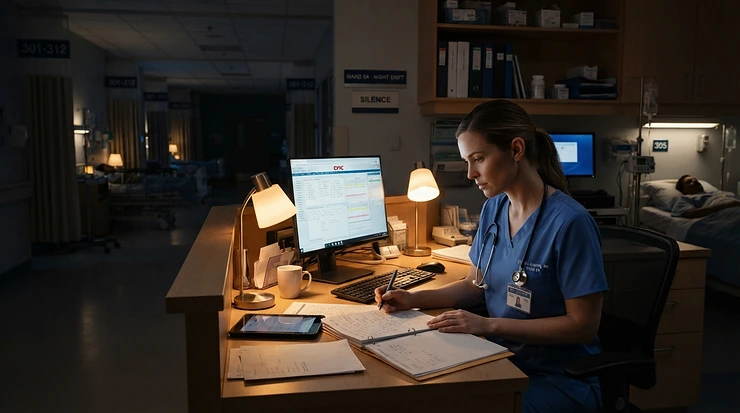
It’s 3am. The office is silent, the screen glow is the only light in the room, and your lower back has started filing formal complaints. Night work stacks the deck against your spine. Fewer interruptions mean longer stretches of unbroken sitting, your body clock is at its lowest ebb, and the chair underneath you is often a battered hand-me-down that the day team abandoned years ago. Choosing an office chair with lumbar support for night shift workers isn’t a vanity purchase. It’s protective kit for a job that already asks your body to work against its own rhythm.
The wider evidence points the same way. The Health and Safety Executive’s guidance on managing fatigue and shift work treats night work as a risk in its own right, one employers are expected to manage rather than shrug off. A chair can’t cancel out a body clock. It can, however, remove one avoidable source of strain, and that matters far more than you’d expect when you’re nine hours into a twelve-hour stretch.
This guide covers seven real chairs, from budget to premium, judged specifically for overnight desk work. You’ll get honest spec analysis, aggregated review sentiment, a buyer’s framework, set-up advice and a no-nonsense look at long-term cost. One transparency note: none of these chairs were tested personally for this article, so every verdict rests on published specifications and UK reviews. Where I couldn’t verify a large pool of owner feedback, I say so. Whether you want a comfortable office chair for 12 hour shifts, an ergonomic chair for overnight desk work, or simply all day seating comfort that survives the small hours, you’re in the right place. Below are the best picks for an office chair with lumbar support for night shift workers in 2026.
Quick Comparison: 7 Picks at a Glance
Short on time? This table puts the seven chairs side by side. Prices are indicative brackets only, because they change constantly, so always check the current price before buying.
| Chair | Lumbar system | Seat / back material | Price bracket | Best For |
|---|---|---|---|---|
| Steelcase Series 2 | Height-adjustable pad plus flexing Air LiveBack | Foam seat, flexing back | Mid-premium | All-round night-shift use and shared desks |
| Sihoo M57 | Dual-axis (vertical and horizontal) | Full mesh | Around £200-£250 | Tight budgets |
| Sihoo Doro S300 | Dual floating-wing pads | Mesh, 4-spring seat | Around £800 at UK launch | Recline resets and 6D armrests |
| Steelcase Leap V2 | Adjustable height and firmness | LiveBack frame | Around £1,000 and above | Existing lower-back problems |
| Herman Miller Aeron | Two-pad PostureFit SL | Full pellicle mesh | £1,000-plus | Airflow, and sizes for very small or large users |
| Secretlab Titan Evo | 4-way integrated | Padded upholstery | Mid-range, check price | Desk work by night, gaming by day |
| Hbada E3 Pro | Three-zone adaptive | Mesh | Around £500-£700, depending on promotions | Maximum adjustability for the money |
Looking at the table, the Sihoo M57 delivers the most lumbar adjustability per pound by a clear margin, which makes it the sensible starting point if you’re paying out of your own pocket. If your lower back already complains, the Steelcase Leap V2‘s adjustable firmness justifies the extra outlay, while the Herman Miller Aeron earns its premium mainly through airflow and sizing. Buyers eyeing the Secretlab Titan Evo should remember that its appeal is versatility, not the deepest lumbar tuning in this group.
💬 Just one click — help others make better buying decisions too!😊
What Is an Office Chair with Lumbar Support for Night Shift Workers?
An office chair with lumbar support for night shift workers is a task chair built to cradle the lower spine’s inward curve through long overnight sessions. It combines adjustable lumbar depth or height, breathable padding, seat and armrest adjustment, and a smooth recline, so strain doesn’t pile up while your body is naturally at its lowest.
How it differs from a standard office chair
A daytime chair gets interrupted constantly by meetings, tea runs and chatty colleagues. A night-shift chair doesn’t. You sit still for longer, so small design flaws that a day worker never notices become genuine aches by hour eight. That is why lumbar adjustability, seat depth and decent padding matter more here than on a chair you’d use for two hours at a kitchen table.
What “lumbar support” should actually mean
A foam lump glued to the backrest isn’t lumbar support. Proper support moves up and down, ideally in and out too, so it meets the curve of your own lower back instead of an imaginary average spine. Keep that test in mind as we go through the seven picks.
Top 7 Picks: Office Chair with Lumbar Support for Night Shift Workers, Analysed
Here are seven real chairs, ordered loosely from all-rounder to specialist. Each is judged on how it behaves when you’re sitting for a long shift, not just how it looks in a showroom.
1. Steelcase Series 2 — flexing backrest that follows your fidgeting
The Air LiveBack backrest is the headline. A geometric pattern cut into it lets it flex as you shift, so the chair moves with you instead of locking you into one “correct” posture.
The key specs are a height-adjustable lumbar pad, a high-density foam seat, a slim home-friendly profile and a 12-year warranty. In practice, that foam holds its shape through years of long sittings, and the slimmer frame suits cramped night desks and control-room corners.
Here’s the analysis. Overnight, concentration dips and posture drifts without you noticing, which is where a passive, flexing back earns its keep, because it accommodates the slump instead of fighting it. It also suits shared seats, since there are no firmness dials to forget or reset when the day team inherits it. Published UK round-ups in 2026 repeatedly place it as the best all-rounder, though I couldn’t verify a large pool of individual owner reviews, so treat that as editorial consensus rather than customer data. A recurring caveat is that you can only adjust lumbar height, not firmness.
Pros:
- ✅ Flexing backrest adapts to shifting posture
- ✅ 12-year warranty matches far pricier chairs
- ✅ Slim, quiet design suits shared night desks
Cons:
- ❌ No lumbar firmness dial
- ❌ Less targeted than the Steelcase Leap V2 for sore backs
Price bracket: mid-premium, so check current price. Value verdict: the long warranty makes the cost per shift easy to justify.

2. Sihoo M57 — dual-axis lumbar for around £200-£250
Its standout trick is giving a budget chair lumbar support that moves both vertically and horizontally, something many chairs at twice the price skip.
The S-shaped backrest follows the spine’s natural curve, the full-mesh back and seat keep air moving, a headrest is included, and the armrests adjust in several directions. It fits users from roughly 5’3″ to 6’2″ and is rated to 25 stone (159kg). Assembly is reported at 20-30 minutes, handy if you’re building it at 7am after a shift.
My read is that the dual-axis lumbar is the feature that matters. When you tire at 4am and start slumping, you can reposition the support rather than simply enduring it. Reviewers consistently describe it as the best value pick in the budget bracket, and one independent review site names it its budget favourite over IKEA’s Markus. A common complaint is armrests that are a little firm for very long sessions.
Pros:
- ✅ Dual-axis lumbar adjusts vertically and horizontally
- ✅ Full mesh keeps airflow steady
- ✅ Headrest included as standard
Cons:
- ❌ Armrests feel firm over long shifts
- ❌ Warranty is one year, three on mechanical parts
Price bracket: around £200-£250. Value verdict: the smartest low-cost entry point here, with a shorter expected lifespan than the premium chairs.
3. Sihoo Doro S300 — Anti-Gravity recline for proper micro-resets
Its party piece is the Anti-Gravity mechanism, a four-axis linkage with glass-fibre elastic plates that lets you lean back to any angle without a hard lock and return upright smoothly.
Add dual floating-wing lumbar pads that adjust vertically and horizontally, 6D armrests, a four-spring seat cushion and a single-piece aluminium frame, with BIFMA and SGS certification. It weighs 26.2kg and suits users around 150-190cm.
For night work, the useful part is the unlocked recline. A brief lean back to stretch your spine at 2am is more restful than perching bolt upright, and you don’t have to wrestle a lock lever to do it. Note the word “brief”: this is for resets, not sleeping on shift. The 6D armrests are also the most flexible in this group, which helps if you alternate between typing and mouse work. Reviewers flag a small seat-height range, and the weight makes repositioning awkward.
Pros:
- ✅ Recline holds any angle without locking
- ✅ 6D armrests adapt to every task
- ✅ Dual-pad lumbar adjusts in two axes
Cons:
- ❌ Limited seat-height adjustment range
- ❌ Heavy at 26.2kg, awkward to move
Price bracket: around £800 at UK launch, so check current price. Value verdict: engineering well above its mid-premium tag, but only if you’ll use the recline.
4. Steelcase Leap V2 — dial-in firmness for troublesome backs
This is the specialist’s choice, because you can adjust lumbar firmness independently of height.
Steelcase’s LiveBack technology lets the backrest follow your spine’s changing shape as you move. If your lower back needs deep, firm support, you can dial it up. If not, you can back it off. UK guides describe it as a fixture in physiotherapist recommendations, and it comes with a 12-year warranty, though you should check regional terms.
The analysis is straightforward. For a night worker with a diagnosed lower-back issue, fixed or height-only lumbar means compromising at exactly the hours your body is least forgiving. Being able to tune firmness as fatigue sets in is the main reason to pay more. It isn’t pretty, though: the look is corporate and utilitarian. In the round-up I reviewed, availability looked patchy, so confirm stock before getting attached to the idea.
Pros:
- ✅ Independent lumbar firmness and height control
- ✅ Backrest follows spinal movement
- ✅ 12-year warranty, subject to regional terms
Cons:
- ❌ Office-park looks suit homes poorly
- ❌ Stock availability can be patchy
Price bracket: around £1,000 and above. Value verdict: justified for genuine back trouble, overkill for everyone else.
5. Herman Miller Aeron — full pellicle mesh in three sizes
The standout is airflow, since the full pellicle mesh has no foam to trap heat or fabric to stick to your shirt.
The two-pad PostureFit SL lumbar system supports the sacrum and lower back separately, a distribution philosophy rather than a deep push into the spine. It comes in sizes A, B and C, with a 12-year warranty.
Sizing is the underrated feature for night shifts. If the same seat serves staff of very different builds, the right size makes it far easier to find a good fit. Because body temperature dips overnight, ultra-breathable mesh can feel cool in air-conditioned rooms, which suits warm control rooms well but may call for a layer in chilly ones. UK guides still rate it the benchmark for ventilation and build. The caveat: if you need firm, targeted lumbar pressure, the Steelcase Leap V2 is the more direct tool.
Pros:
- ✅ Class-leading airflow from full pellicle mesh
- ✅ Three sizes suit very small or large users
- ✅ 12-year warranty and long expected lifespan
Cons:
- ❌ Iconic-brand premium pushes the price high
- ❌ Less targeted lumbar pressure than the Steelcase Leap V2
Price bracket: £1,000-plus. Value verdict: worth it mainly if you run hot or need the sizing.

6. Secretlab Titan Evo — metal frame with 4-way lumbar
What sets it apart is a hybrid personality: an all-metal frame and integrated 4-way lumbar that doesn’t feel like a bolt-on cushion.
The recline stretches to 165°, which works for off-shift downtime, and the metal build avoids the creaks that plague cheaper gaming chairs. Assembly is slower than for the Sihoo M57, so budget around an hour.
My take: this is the pick if your night desk is also your gaming station, since the integrated lumbar stays consistent through recline. Most gaming chairs skimp on armrest adjustability and lumbar that moves with you, so the Secretlab Titan Evo is the exception worth knowing. Padded upholstery is generally less breathable than mesh, so it’s worth checking which cover you’re buying if you run warm. I found only editorial coverage for it, not a verifiable body of owner feedback, so weigh this entry with that in mind.
Pros:
- ✅ All-metal frame resists creaking
- ✅ Integrated 4-way lumbar moves with you
- ✅ Recline suits off-shift relaxing
Cons:
- ❌ Gamer styling clashes with plain offices
- ❌ Padded cover may run warmer than mesh
Price bracket: mid-range, check current price. Value verdict: great dual-purpose chair, less ideal for a hot, shared control room.
7. Hbada E3 Pro — three-zone lumbar that tracks your slumps
Its pitch is a three-zone adaptive lumbar system, with a central support flanked by softer wings, plus a 4D headrest and a mesh back.
Expect plenty of adjustments for the money, and versions with a footrest are sold. The brand’s “world’s first” language is marketing, so lean on the independent reviews instead. T3 praised the sturdy build and comfort but noted slightly wobbly arms at times, a few “strange adjustments” and mesh that felt uncomfortable in summer heat with bare legs. TechRadar called it highly adjustable and easy to assemble, with a footrest that moved a little too freely on its sample.
Here’s what to weigh. A night worker who drifts between upright typing and slumped reading may find the adaptive lumbar forgiving, but the adjustment count means a learning curve. List price has been reported around £700, with promotional cuts of roughly £200 at times, so check current price.
Pros:
- ✅ Three-zone lumbar follows back movement
- ✅ Highly adjustable headrest and arms
- ✅ Easy assembly, per TechRadar
Cons:
- ❌ Reviewers noted slightly wobbly arms
- ❌ Mesh felt uncomfortable in hot weather
Price bracket: around £500-£700 depending on promotions. Value verdict: strong if you’ll use the adjustments, wasteful if you won’t.
Head-to-Head Spec Table
| Chair | Lumbar adjustment | Breathability | Warranty | Best For |
|---|---|---|---|---|
| Steelcase Series 2 | Height only | Good | 12 years | Shared seats |
| Sihoo M57 | Vertical and horizontal | Very good (full mesh) | 1 year (3 on mechanical) | Budget buyers |
| Sihoo Doro S300 | Vertical and horizontal, dual pads | Very good | Multi-year | Recline resets |
| Steelcase Leap V2 | Height and firmness | Good | 12 years (check regional terms) | Lower-back issues |
| Herman Miller Aeron | Two-pad PostureFit SL | Class-leading | 12 years | Hot-running sitters |
| Secretlab Titan Evo | 4-way integrated | Depends on cover | Long-term | Work plus gaming |
| Hbada E3 Pro | Three-zone adaptive | Good (mesh) | Check manufacturer terms | Adjustability seekers |
The pattern is clear: if you can only spend around £250, the Sihoo M57 gives you real lumbar movement, while the Steelcase Series 2 and Steelcase Leap V2 buy longevity and refinement. The Hbada E3 Pro and Sihoo Doro S300 sit in the middle with feature-rich mechanisms, but both demand more setup time.
How to Choose an Office Chair with Lumbar Support for Night Shift Workers
Picking an office chair with lumbar support for night shift workers comes down to six checks. Work through them in order and most of the shortlist makes itself.
- Check the lumbar range, not just its existence. Look for support that moves up and down, ideally in and out too. NHS guidance from Cambridge University Hospitals describes the aim as preserving the spine’s natural S-shaped curves, which fixed bumps often fail to do.
- Match seat height and depth to your legs. Your feet should rest flat on the floor with a little clearance behind your knees. A seat that’s too deep cuts circulation, one that’s too shallow robs your thighs of support.
- Choose breathable seat padding that suits your room. Mesh suits warm rooms, foam can feel kinder in cold ones.
- Insist on adjustable armrests. Dropped shoulders at 4am make a chair feel ten years older.
- Test the recline and tilt lock. You want smooth movement and a way to fix the angle where you like it.
- Check warranty and weight rating. A chair that runs three or four nights a week gets heavy use, so warranty length is a real reliability signal.
Think about sharing too. If a day-shift colleague uses the same chair, simple, quick adjustments beat a 14-lever mechanism nobody remembers.

Features That Actually Matter (And Those That Don’t)
Marketing language around chairs has galloped well ahead of what the mechanisms do. For an overnight desk, a handful of features carry nearly all the value.
Worth paying for
Genuinely adjustable lumbar support is the big one, followed by seat depth, armrests that move in several directions, and a tilt mechanism with a sensible lock. Those four determine whether you finish a shift feeling stiff or merely tired.
Nice but not essential
A headrest helps your neck when you recline, but most people at a desk won’t use it for hours at a stretch. Adaptive or “smart” lumbar systems, like the one on the Hbada E3 Pro, can be genuinely clever, though they only matter if the basic adjustments are already good.
Mostly marketing
A 165° recline, like the one on the Secretlab Titan Evo, sounds dramatic but has little to do with working a night shift. Likewise, fancy materials, contrast stitching and brand badges won’t spare your lower back at 5am. When a feature can’t be explained in terms of posture, support or airflow, treat it as decoration.
Fatigue Reduction: How Your Chair Helps at 3am
Fatigue reduction is the part of this purchase people underestimate, so be realistic about what a chair can do. It can’t repay sleep debt or reset your body clock. What it can do is lower the physical load on your muscles, so you aren’t adding pain and stiffness to a body that’s already running below par.
The Society of Occupational Medicine’s consensus document on fatigue risk management reports that injury risk rises significantly on night shifts compared with morning shifts, by around 36%, and that a notable share of road accidents are fatigue-related. The takeaway is that small stressors add up, and discomfort is one of them.
Practical ways a chair supports fatigue reduction
- Small adjustments mid-shift. A chair with quick lumbar and armrest changes lets you reposition before discomfort becomes pain.
- Movement-friendly backrests. Designs like the Steelcase Series 2‘s flexing back encourage subtle shifting.
- Short recline resets. The Sihoo Doro S300‘s unlocked recline makes a brief stretch easy.
Rest properly between shifts, take your breaks, and never treat a comfortable chair as a licence to push through drowsiness behind the wheel.
Breathable Seat Padding: Mesh vs Foam vs Hybrid
Breathable seat padding is the most personal choice in this guide, and it depends on your workplace, not the spec sheet.
Mesh
Full mesh, as on the Herman Miller Aeron, Sihoo M57 and Sihoo Doro S300, lets air move freely, spreads body weight without trapping heat and suits warm rooms or server-room desks. The trade-off is feel: T3 found the Hbada E3 Pro‘s mesh uncomfortable in heatwave conditions when wearing skirts or dresses, a reminder that mesh isn’t automatically kinder to everyone.
Foam
Dense foam, like the seat on the Steelcase Series 2, feels cushioned from the start and can be gentler on shorter users whose thighs struggle with mesh edges. In a cold, air-conditioned night office, foam also feels warmer, which matters because body temperature dips in the small hours.
Hybrids
A foam seat with a mesh back tries to give you both. For many people it’s the sweet spot.
Match the material to your room’s temperature and your own build, and you’ll have solved half the comfort puzzle before touching a single lever.
Comfortable Office Chair for 12 Hour Shifts: What to Expect
A comfortable office chair for 12 hour shifts should feel good at hour ten, not just hour one. Here’s a realistic arc, based on how chair mechanics and body fatigue typically interact.
Hours 1-4: the honeymoon
Everything feels fine, because almost any chair does. This is when you set it up properly, not when you judge it.
Hours 5-8: the test
Pressure points emerge. Seat foam compresses, mesh tension settles, and any shortfall in lumbar placement starts to nag. Expect to make two or three small adjustments here, and take them seriously.
Hours 9-12: the real exam
Fatigue peaks, posture sags and subtle design flaws surface. This is where adjustable lumbar, supportive armrests and flexible backs separate themselves from showroom charmers. A passive, flexing backrest like the Steelcase Series 2‘s copes well with a collapsing posture, while the Steelcase Leap V2 lets you dial firmness up when you need it.
No chair makes twelve hours effortless. A well-chosen one makes them tolerable, and that’s the standard to hold it to. Standing, walking and stretching on your break matters at least as much as the seat you return to.
Ergonomic Chair for Overnight Desk Work: A Set-Up Guide
Buying an ergonomic chair for overnight desk work is only half the job. A great chair set up badly performs like a mediocre one, so spend ten minutes on this routine.
Step-by-step first-use set-up
- Set seat height. Feet flat on the floor, thighs roughly level. If your desk is too high, raise the seat and use a footrest.
- Place the lumbar. Position support at the inward curve of your lower back, then back it off if it feels like a shove.
- Set seat depth. Leave a small gap behind your knees.
- Adjust armrests. Forearms parallel to the floor, shoulders relaxed.
- Tune tilt tension. Enough resistance to feel supported, not so much that you fight the chair.
- Raise your screen. Top of the display around eye level.
Common mistakes in the first 30 days
Over-tightening recline tension, leaving armrests at factory height, and never revisiting the settings are the usual culprits. Re-check everything after a week, then again at a month.
Simple maintenance schedule
Every month, check bolts and castors and wipe down mesh or upholstery. Every six months, give the mechanism a quick inspection. A chair that runs several nights a week deserves it.

All Day Seating Comfort: Three Night-Shift Case Studies
All day seating comfort looks different depending on who you are, where you sit and how much you can spend. Here are three realistic profiles and the chairs that fit them, based on the spec analysis above.
The control-room operator on a shared seat
Twelve-hour shifts, four nights on, a chair shared with day staff and a warm room with no windows. The best match is the Steelcase Series 2 for its adjustment-light design, or the Herman Miller Aeron if the budget allows and airflow is a priority. Both have 12-year warranties, which suits furniture that’s used almost constantly.
The home-based customer-support agent
Overnight remote work, a tight £250 ceiling and a spare-room desk. The Sihoo M57 is the obvious fit: dual-axis lumbar and mesh for around £200-£250 will outperform the thin chairs many people buy in a panic. The trade-off is a shorter expected lifespan.
The reversed-hours developer who games on days off
Night coding, evening gaming and a need for one seat to cover both. The Secretlab Titan Evo works as a hybrid, while the Hbada E3 Pro appeals to people who like lots of adjustment. Check upholstery or mesh against your room temperature, as discussed earlier.
The back-pain sufferer
If a physio has flagged lower-back trouble, the Steelcase Leap V2‘s adjustable firmness is the feature to prioritise, if you can find stock.
Office Chair vs Gaming Chair vs Basic Task Chair for Night Work
“Which type should I buy?” is a bigger question than “which model?”, so here’s the high-level comparison.
| Type | Lumbar | Breathability | Adjustability | Best For |
|---|---|---|---|---|
| Dedicated ergonomic mesh chair | Usually adjustable | Excellent | High | Sihoo M57, Herman Miller Aeron |
| Premium flexing-back chair | Targeted, often firmness control | Good | High | Steelcase Series 2, Steelcase Leap V2 |
| Hybrid gaming-style chair | Integrated, varies | Depends on cover | Moderate to high | Secretlab Titan Evo |
| Basic budget task chair | Fixed foam bump | Variable | Low | Occasional short sessions only |
Most gaming chairs prioritise looks over ergonomics, with fixed lumbar pillows and limited armrest movement. The Secretlab Titan Evo is the exception worth considering, with a metal frame and integrated 4-way lumbar. For a basic task chair, think of it as fine for an hour and a false economy for a full shift. For a dedicated night worker, the first two rows are where your money does the most good.
Long-Term Cost & Maintenance
The cheapest chair on day one is rarely the cheapest over years of use. A better way to compare is cost per shift. Assume four night shifts a week, which is roughly 208 a year.
| Chair | Price bracket | Expected lifespan | Rough cost per shift | Best For |
|---|---|---|---|---|
| Sihoo M57 | Around £200-£250 | 3-5 years | Roughly 25-30p | Tight budgets |
| Sihoo Doro S300 | Around £800 at launch | 5-8 years | Roughly 50-60p | Feature-rich mid-premium |
| Steelcase Series 2 | Mid-premium | 10-12 years | Not enough verified pricing | Long-term value |
| Steelcase Leap V2 | Around £1,000 and above | 10-12 years | About 40p or more | Back-pain protection |
| Herman Miller Aeron | £1,000-plus | 10-12 years | About 40p or more | Airflow and sizing |
The figures are rough, built on indicative price brackets and lifespan estimates from published guides, so treat them as a way of thinking rather than a quote. The point stands: a premium chair that survives a decade can cost little more per shift than a budget one replaced twice. Maintenance helps either way, and a monthly bolt check costs nothing.
✨ Ready to Upgrade Your Night-Shift Seat?
🔍 Take your overnight workstation to the next level with these carefully selected chairs. Click on any highlighted product to check current pricing and availability. A well-chosen chair can make every long shift noticeably easier on your back!
Safety, Regulations and Your Employer’s Duties
If you work nights at a desk for an employer, your chair isn’t just a comfort issue. The Health and Safety (Display Screen Equipment) Regulations 1992 define a workstation as including the work chair, alongside the screen, keyboard and desk. They require employers to ensure workstations meet minimum requirements where staff are habitual users of display screen equipment.
What that means in practice
You can ask for a display screen equipment assessment, including whether your chair suits you. If it doesn’t, say so in writing and keep a copy. Council and university guidance indicates these duties also extend to home workstations used for employment, so check your employer’s policy if you work remotely.
Standards worth looking for
Look for testing to a recognised office-chair standard, such as BS EN 1335 or BIFMA, as cited for the Sihoo Doro S300. A tested chair isn’t automatically comfortable, but it is a useful signal that the structure has been put through durability checks.
If you have a back condition, tell occupational health. A specialist assessment can recommend features like those on the Steelcase Leap V2 and support a request for better equipment.
Common Mistakes When Buying a Night-Shift Chair
Even well-researched purchases go wrong in predictable ways. Avoid these.
- Buying on looks. A sleek chair with fixed lumbar is still a fixed-lumbar chair. Judge by adjustments, not photos.
- Ignoring seat depth. A seat that’s too deep or too shallow causes problems no lumbar pad can fix.
- Treating a cushion as a cure. A strap-on lumbar pillow helps a little, but it can’t replace a properly integrated, adjustable system.
- Skipping the set-up. Most people never move a lever after assembly, so adjustments go unused.
- Over-buying features. Smart lumbar, huge recline angles and fancy headrests cost money without necessarily improving a night shift.
- Forgetting the room. Breathable seat padding that’s perfect in a warm control room can feel chilly in a cold office, so choose with your environment in mind.
Also remember the most important rule: a chair supports healthy habits, it doesn’t replace them. Stand, walk and stretch whenever your break allows.

Frequently Asked Questions
❓ How much should I spend on an office chair with lumbar support for night shift workers?
❓ Can a lumbar cushion replace a new chair?
❓ Where can I buy an ergonomic chair for overnight desk work in the UK?
❓ How can I stop back ache on a comfortable office chair for 12 hour shifts?
❓ Will my employer pay for a better chair?
Conclusion: Which Chair Should You Choose?
Night shifts ask a lot of your body, and your chair should ask as little as possible in return. For most people, the Steelcase Series 2 is the sensible all-rounder, with a flexing backrest, a 12-year warranty and a design that suits shared desks. On a tight budget, the Sihoo M57 is the standout, with dual-axis lumbar for around £200-£250. If your lower back is already a problem, the Steelcase Leap V2 gives you the firmness control you need, while the Herman Miller Aeron is the pick for airflow and sizing.
The Sihoo Doro S300 suits anyone who values a smooth recline and flexible armrests, the Secretlab Titan Evo works as a hybrid for work and gaming, and the Hbada E3 Pro appeals if you love adjusting everything. Whichever you pick, set it up properly, review the settings after a month and protect your breaks.
Choosing the right office chair with lumbar support for night shift workers won’t turn a 3am slump into a sunrise, but it does mean your spine isn’t fighting the room as well as the clock. Make the call on spec, fit and honest value, and your back will thank you by the end of the week.
Recommended for You
- Lumbar Support Chair For Slouching Posture Correction: 7 Best (2026)
- Mesh Back Chair For Home Office: 7 Best Cool Picks (2026)
- Full Mesh Chair For Long Hours: 7 Best Cool Picks (2026)
Disclaimer: This article contains affiliate links. As an Amazon Associate, I earn from qualifying purchases. If you purchase products through these links, we may earn a small commission at no additional cost to you.
✨ Found this helpful? Share it with your friends! 💬🤗
