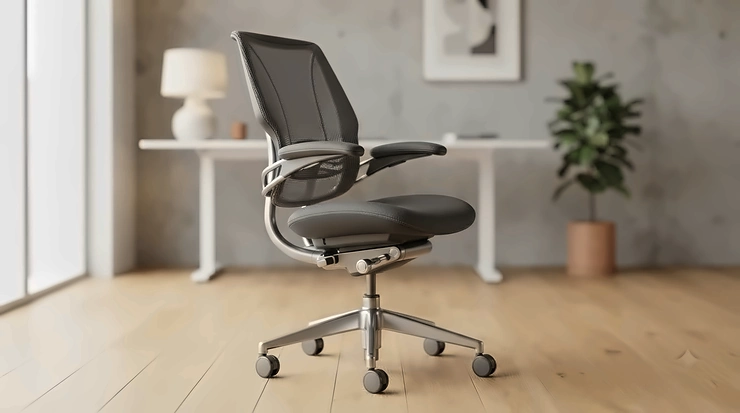
In This Article
Here’s a confession: most people don’t think about their armrests until the day their elbow catches the edge of the desk for the ninth time in an hour, or their shoulder starts singing a low, grumbling note by 3pm. Then, suddenly, armrests are all they think about. A task chair with adjustable arms isn’t a luxury add-on — it’s the difference between elbows that float in the right spot and shoulders that spend eight hours quietly bracing themselves for no reason at all.
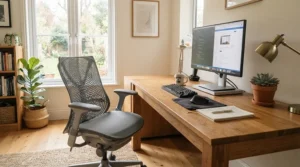
This guide exists because “office chair” is a category stuffed with vague marketing and because the word “adjustable” gets slapped onto arms that barely wiggle. We’ve dug into real specifications, aggregated genuine customer feedback, and UK availability to build a shortlist that actually earns the word ergonomic desk chair. Whether you’re kitting out a home office corner or replacing a chair that’s been silently sabotaging your posture for two years, you’ll find budget, mid-range, and premium options below — plus the reasoning behind each pick, not just a spec sheet dressed up as advice.
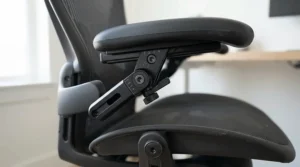
Quick definition, since it matters: a task chair with adjustable arms is a general-purpose desk chair whose armrests can be raised, lowered, or otherwise repositioned (rather than fixed in one spot), letting you match arm support to your desk height and typing posture. The best versions add width and pivot adjustment too, which is where an office chair with adjustable armrests starts to genuinely earn its keep over a static budget model.
Quick Comparison Table
| Chair | Arm Adjustment | Price Range | Best For |
|---|---|---|---|
| SIHOO Doro C300 | 3D (height, width, pivot) | £250-£350 range | All-round home office comfort |
| Autonomous ErgoChair Pro | 4D | £400-£480 range | Adjustability-obsessed buyers |
| Steelcase Series 1 | 4D (height, width, pivot, depth) | £400-£550 range | Long-term durability seekers |
| Hbada E3 Pro | 6D | £150-£220 range | Best mid-budget adjustability |
| Duramont Ergonomic Chair | 3D | £180-£260 range | Reclining desk-nap fans |
| Vinsetto Mesh Task Chair | Flip-up, fixed height | Under £120 | Tight budgets, occasional use |
| Amazon Basics Ergonomic Chair | 2D (height, flip-up) | Under £150 | Simple, no-fuss starter chair |
Looking at the spread above, the gap between “has arms” and “has arms that actually adjust to your body” is roughly £100-£150 — the price of skipping a trip to the physiotherapist, frankly. Budget models like the Vinsetto Mesh Task Chair and Amazon Basics Ergonomic Chair get you a seat and something to rest your forearms on, but the mid-range and premium picks add pivot, depth and width movement that genuinely changes how your shoulders feel by hour six. If your desk height is unusual or you share the chair with a partner of a very different height, spend the extra for multi-directional arms — it’s cheaper than it sounds once you compare it against a single physio session.
💬 Just one click — help others make better buying decisions too!😊
Top 7 Task Chairs With Adjustable Arms: Expert Analysis
1. SIHOO Doro C300 — self-adaptive lumbar with 3D coordinated arms
The standout here is that the lumbar support isn’t something you dial in once and forget — it tracks your movement automatically, and the armrests recline in sync with the backrest so your arms never end up stranded mid-air.
Specs-wise, the Doro C300 offers three-directional armrest adjustment (height, width, and depth), a weight-sensing recline mechanism rated to 150kg, and three lockable tilt angles at 110°, 120° and 130°. In practice, that weight-sensing system means you don’t have to fumble with a separate tension knob — the chair calibrates resistance to you automatically, which matters if more than one person uses the desk. It’s TÜV certified against EN1335, the European standard for office chair safety, so the adjustability isn’t just marketing gloss over a flimsy frame.
Based on the spec comparison with similarly priced mesh chairs, the Doro C300 sits ahead of most sub-£350 competitors specifically because the lumbar and armrests move together rather than independently — most budget “3D arms” chairs still leave you re-adjusting after every recline. This is the model we’d point a hybrid worker toward: someone who splits time between video calls (upright, arms up) and focused typing (reclined, arms tucked in).
Reviewers consistently report that assembly takes under 30 minutes and that the mesh backrest stays genuinely cool over long sessions, though a recurring theme in aggregated feedback is that the seat pan runs slightly narrow for larger frames — worth checking the seat width spec if you’re above average build.
Pros:
- ✅ Armrests recline in sync with the backrest automatically
- ✅ TÜV certified to EN1335 European safety standard
- ✅ Weight-sensing recline needs no manual tension dial
Cons:
- ❌ Seat pan runs narrow for larger body types
- ❌ Fewer colour options than rival mesh chairs
Prices for the Doro C300 tend to sit in the £250-£350 range depending on colour and retailer promotions — check current price before buying, as SIHOO runs frequent Amazon deals. For the level of adjustability on offer, it represents strong value in the mid-range tier.

2. Autonomous ErgoChair Pro — best all-round adjustability under £500
What most buyers overlook about this model is that its five lockable recline positions aren’t just about lounging — they let you lock the chair fully upright for focused typing, which fixed-recline budget chairs simply can’t do.
The ErgoChair Pro’s armrests move in four directions (height, width, depth, and pivot), the seat height spans roughly 18.5-22 inches to suit a wide range of desks, and the frame is rated for up to 300lbs (136kg). The five-point base and smooth casters make it stable across the height range, and the breathable mesh backrest is paired with a foam seat rather than mesh throughout, which changes how the chair feels over a full day.
Here’s what the spec sheet won’t tell you, but expert reviewers note: the foam seat runs warmer than a full-mesh chair, but it also provides noticeably more cushioning under the thighs during long sits — a genuine trade-off rather than a flaw. This chair for adjustable arms is the one to recommend to someone who wants “90% of a premium chair’s adjustability for a third of the price,” which is roughly the reputation it’s built among reviewers who’ve tested it against pricier rivals.
Aggregated customer feedback highlights the assembly process as unusually painless — most reviewers report 20-30 minutes with clear instructions — and praise the lumbar cushion’s adjustable height. A recurring critique is that users well over 6’2″ find the headrest tops out a touch low.
Pros:
- ✅ Four-directional armrests plus five lockable recline positions
- ✅ Supports up to 300lbs on a stable five-point base
- ✅ Fast, well-documented assembly process
Cons:
- ❌ Headrest can feel short for users over 6’2″
- ❌ Foam seat runs warmer than full-mesh alternatives
Expect to pay in the £400-£480 range at the time of research, with Autonomous running seasonal sales that occasionally bring it closer to £350 — worth checking current price before committing.
3. Steelcase Series 1 — best long-term durability with 4D arms
The standout feature is the 12-year mechanism warranty, which tells you more about how this chair is engineered than any spec sheet could — Steelcase is effectively betting the armrests and tilt mechanism will outlast a decade of daily use.
The Series 1 includes genuinely 4D armrests — height, width, pivot, and depth — built from a firmer, more scratch-resistant plastic than most budget rivals, alongside adjustable seat depth, a weight-activated tilt mechanism, and an optional headrest add-on. The backrest uses a “3D Mesh Knit” fabric that flexes with movement rather than staying rigid, and the lumbar support is separately adjustable from the tilt tension.
Based on the spec comparison with the ErgoChair Pro above, the Series 1 edges ahead on build quality and long-term durability — the 12-year mechanism warranty versus a typical 2-3 year warranty on rival mid-range chairs says a lot about what Steelcase expects from its own hardware. What most buyers overlook is that the armrests move so freely they can shift under light pressure, which some reviewers find mildly irritating if they rest a hand on the arm while reaching for something.
Reviewers consistently note that the chair “feels like a steal” compared with Steelcase’s own pricier lines (the Leap and Gesture), and that the standard backrest height suits average-height users well but may feel short for anyone above 6’1″ without the headrest add-on.
Pros:
- ✅ 12-year mechanism warranty signals serious long-term build quality
- ✅ Genuinely 4D arms with pivot and depth adjustment
- ✅ Adjustable seat depth suits a wider range of leg lengths
Cons:
- ❌ Armrests can shift with light accidental pressure
- ❌ Headrest sold as a separate add-on, not standard
Pricing for the Series 1 typically falls in the £400-£550 range depending on fabric and frame colour selected — check current price, as Steelcase periodically discounts specific configurations.
4. Hbada E3 Pro — best 6D armrests for the money
The standout here is unusual for this price bracket: 6D armrests, meaning six axes of movement rather than the more common 3D or 4D, at a price point that undercuts most 4D rivals.
The E3 Pro pairs those 6D armrests with a 3-zone elastic lumbar support system, a 4D biaxial headrest, and a 140° recline with a gravity-sensing chassis that adjusts resistance to your body weight automatically. The mesh used across the backrest is rated for 16.5% more breathability than Hbada’s standard weave, according to the brand’s own testing, and the frame is alloy steel rather than the reinforced plastic used in cheaper rivals.
On paper this means you’re getting armrest adjustability that rivals chairs costing twice as much, and in aggregated reviews that promise mostly holds up — reviewers repeatedly single out the headrest as “one of the most versatile” they’ve used, even compared against pricier chairs. Here’s what most buyers overlook, though: with this many moving parts, first-week users report accidentally bumping an adjustment lever while reaching for the chair, which the brand acknowledges is a learning-curve issue rather than a fault.
A common theme in review sentiment is that assembly is straightforward solo, typically under 30 minutes, and that the chair feels sturdy even for users above 200lbs.
Pros:
- ✅ Six-axis armrest adjustment rare at this price point
- ✅ Gravity-sensing chassis auto-adjusts recline resistance
- ✅ Alloy steel frame rated stable above 200lbs
Cons:
- ❌ Easy to accidentally knock an adjustment lever early on
- ❌ Fewer third-party long-term durability reviews than bigger brands
Prices sit in the £150-£220 range at most UK retailers, making it one of the strongest value propositions among adjustable arms office chair options on this list.
5. Duramont Ergonomic Office Chair — best recline for desk breaks
The standout advantage is a genuinely deep recline paired with adjustable armrest width — not just height — so the chair can be reconfigured from “focused typing” to “leaning back with a coffee” without your arms ending up in the wrong place either way.
The Duramont’s armrests adjust in three directions and the chair reclines with adjustable tension, alongside a 4D lumbar system and a weight capacity of around 330lbs. The aluminium base and rollerblade-style wheels are worth noting specifically for hard flooring, where cheaper nylon casters tend to skid or squeak within months.
What the spec sheet won’t tell you, but reviewers note repeatedly, is that the recline tension is genuinely usable across a range of body weights — a common failure point on budget recliners is tension that’s either too stiff for lighter users or too loose for heavier ones. Duramont’s mechanism seems to have avoided that trap, based on aggregated review sentiment. This is a strong pick for anyone who takes short breaks at the desk rather than getting up, since the recline lock means you can rest without losing your workstation position.
A recurring theme in customer feedback is praise for the responsiveness of Duramont’s customer service when parts (typically the gas lift) need replacing under warranty — a good sign for long-term ownership even if it implies occasional part failures.
Pros:
- ✅ Genuinely adjustable recline tension across body weights
- ✅ Rollerblade wheels suit hard flooring better than standard casters
- ✅ Responsive customer support for warranty parts
Cons:
- ❌ Occasional reports of gas lift issues requiring replacement
- ❌ Armrest padding softens faster than the frame’s overall build quality
Expect a price in the £180-£260 range, positioning it as a strong mid-tier alternative to the SIHOO Doro C300 above, with recline as its specific point of difference.

6. Vinsetto Mesh Task Chair — best budget pick under £120
The standout feature at this price is simply that adjustable arms exist at all — many sub-£100 rivals fix the armrest in a single position, while the Vinsetto’s flip-up arms fold away entirely when you need to tuck fully under a low desk.
Specs are modest but honest: flip-up armrests (rather than height-adjustable in the strict sense), a breathable mesh backrest, synchro-tilt function, and seat height adjustment via a standard gas lift, with a 120kg weight capacity. There’s no lumbar support beyond the shaped backrest and no headrest — this is a chair built to cover the essentials well rather than chase every ergonomic feature going.
Reviewers consistently note that for occasional home use — a few hours a day rather than a full working day — the Vinsetto holds up fine, and the flip-up arms genuinely solve the “arms collide with my desk apron” problem that plagues fixed-arm budget chairs. What most buyers overlook is that “flip-up” isn’t the same as “height-adjustable” — you get two positions (up or down), not a dial-in height, so if your desk is unusually low or high this may not be the solution. Reviewers who use it for shorter sessions or a secondary desk report the most satisfaction; those expecting all-day premium support tend to notice the thinner padding by the afternoon.
Pros:
- ✅ Flip-up arms solve desk clearance problems for under £120
- ✅ Breathable mesh keeps the chair cool for shorter sessions
- ✅ Simple gas-lift height adjustment, easy to use
Cons:
- ❌ No true height-adjustable arms, only flip up/down
- ❌ Padding feels thin for full eight-hour days
Pricing sits under £120 across most UK retailers, making this the chair to consider for a spare room desk, a student setup, or anyone testing whether they even want an ergonomic chair before committing to a bigger spend.
7. Amazon Basics Ergonomic Office Chair — simplest reliable starter pick
The standout here is predictability: no elaborate marketing claims, just height-adjustable arms, a height-adjustable seat, and a mesh back that does what it says, backed by Amazon’s own return policy if it doesn’t suit you.
The armrests adjust in two directions (height and flip-up), the seat height is adjustable via gas lift, and the frame uses a fairly standard steel base with a weight rating around 130kg. It lacks the lumbar customisation, seat depth adjustment, and multi-directional arms of the pricier chairs above — this is deliberately a no-frills desk chair with adjustable armrests rather than a full ergonomic system.
Based on the spec comparison with the rest of this list, this is the chair for someone who wants “better than a dining chair” without researching armrest pivot angles — a genuinely useful category, since not everyone needs (or wants to pay for) 4D arms. Aggregated reviews highlight the low price-to-quality ratio as the chair’s main strength, with the large review sample size (in the tens of thousands across various Amazon Basics chair models) giving unusually reliable sentiment data compared with newer brands.
A common complaint in reviews is that the padding compresses noticeably faster than pricier alternatives — expect this chair to feel its best in year one and gradually flatten from there, which is a fair trade at this price point rather than a genuine flaw.
Pros:
- ✅ Straightforward height-adjustable arms at a low price
- ✅ Backed by a large, reliable aggregated review sample
- ✅ Easy Amazon returns reduce the risk of buying wrong
Cons:
- ❌ Padding compresses faster than pricier alternatives
- ❌ No seat depth or advanced lumbar adjustment
Typically priced under £150, this is the safe, low-commitment entry point into the category — the chair to buy if you’re not yet sure how much ergonomic adjustability you actually need.
Practical Setup & Adjustment Guide
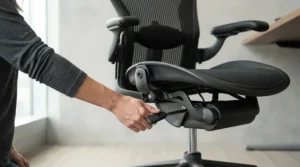
Getting a new task chair with adjustable arms right on day one saves weeks of low-grade discomfort, and most of it comes down to sequence rather than guesswork. Start with seat height: sit down, feet flat on the floor, and adjust until your knees sit roughly level with your hips, forming close to a 90-degree angle. Only after that’s locked in should you touch the armrests — adjust armrest height adjustment so your elbows rest at roughly 90 degrees with your shoulders relaxed, not hunched up or drooping down. This order matters because armrests set before seat height almost always end up wrong once the seat moves.
Next, check desk clearance: with arms in position, slide the chair fully under your desk. If the armrests catch the desk’s underside, either your desk sits too low for that chair’s minimum arm height, or you need a model with flip-up or narrower arms — this is a genuinely common mismatch that has nothing to do with the chair being faulty. Within the first 30 days, most people over-tighten the recline tension out of instinct; loosen it slightly and let the chair do more of the work of supporting your back. A common first-month mistake is leaving lumbar support in its factory default position rather than nudging it to sit at the small of your back specifically — take the five minutes to get this right, because retrofitting good habits after a month of bad posture is much harder than starting correctly.
Maintenance is minimal but not zero: wipe down mesh with a damp cloth monthly, check caster wheels for trapped hair or debris every few months (a surprisingly common cause of “my chair feels stiff” complaints), and re-tighten any bolts that work loose after the first fortnight of regular use, since most flat-pack chair frames settle slightly once broken in.
Real-World Scenarios: Which Chair Fits Your Situation
If you’re a university student working from a small bedroom desk on a tight budget, the Vinsetto Mesh Task Chair or Amazon Basics Ergonomic Chair make more sense than stretching for a premium pick — you’re likely sitting for shorter, more irregular sessions, and desk clearance in small rooms often matters more than six-axis arm adjustment.
If you’re a hybrid worker splitting time between video calls and deep-focus typing at a proper home office desk, the SIHOO Doro C300 or Hbada E3 Pro hit the sweet spot: synchronized recline and arms mean you’re not constantly readjusting between meeting mode and typing mode, and the price sits well below premium territory.
If you’re a full-time remote professional who sits eight-plus hours daily and has already had a back or shoulder complaint, the Autonomous ErgoChair Pro or Steelcase Series 1 are worth the extra spend — the build quality and warranty length reflect genuine daily wear in a way budget chairs aren’t engineered to handle, and the cost amortises to pennies per working day over several years.
How to Choose a Task Chair With Adjustable Arms
- Match armrest height range to your desk, not the chair’s marketing copy. Measure your desk height first; a chair with a wide armrest height range is wasted if your desk sits at a fixed point outside that range.
- Prioritise the number of adjustment axes over the total feature count. A 4D armrest (height, width, depth, pivot) genuinely outperforms a chair with more “features” but only height-adjustable arms.
- Check the weight rating against your actual build, with margin. Manufacturers rate chairs at maximum tested load, not comfortable long-term load — buying with 20-30% headroom tends to extend the chair’s comfortable lifespan.
- Read aggregated review themes, not star ratings alone. A 4.5-star chair with recurring “arms wobble after six months” comments tells you more than the headline score.
- Consider desk clearance before recline range. A chair that can’t slide under your desk with arms down is a bigger daily annoyance than a slightly smaller recline angle.
- Factor in mesh versus foam based on your room’s temperature. Mesh breathes better in warm rooms or south-facing offices; foam provides more cushioning in cooler spaces.
- Don’t ignore the warranty term on the tilt and arm mechanisms specifically. A long fabric warranty means little if the mechanism warranty (the moving parts) is short.
Ergonomic Arms Desk Chair vs Fixed-Arm Alternatives
The case for an ergonomic arms desk chair over a fixed-arm equivalent isn’t purely comfort — it’s about accommodating more than one body and more than one task with a single piece of furniture. A fixed-arm chair is built around a single assumed elbow height, which works fine if exactly one person of exactly one height uses exactly one desk forever. In shared households, hot-desking offices, or any setup where the chair sees more than one user, that assumption breaks quickly.
The trade-off is price and complexity: fixed-arm chairs are cheaper to manufacture and have fewer moving parts to eventually loosen or squeak, which is a legitimate durability argument for simple environments like a rarely used guest office. But for anyone spending real daily hours at the desk, the ability to fine-tune elbow height reduces the kind of low-level shoulder tension that doesn’t register as “pain” day-to-day but accumulates into genuine discomfort over months. Reviewers who’ve owned both types consistently describe switching to adjustable arms as a “why didn’t I do this sooner” moment rather than a marginal upgrade — though it’s worth noting fixed-arm loop-style chairs remain a reasonable choice for shorter, lighter desk use where the extra adjustability wouldn’t get used anyway.
Common Mistakes When Buying an Office Chair With Adjustable Armrests
Skipping the desk-clearance check is the single most common and most avoidable mistake — buyers measure seat height and armrest range but forget to check whether the arms, even at their lowest setting, will slide under the desk’s front apron. Measure your desk’s underside clearance before ordering, not after.
A second common error is confusing “flip-up” with “height-adjustable.” Flip-up arms solve the desk-clearance problem but only offer two positions; if you need to fine-tune elbow height across a range, check for genuine height adjustment specifically, not just the word “adjustable” in the listing title.
Buyers also frequently overlook seat depth in favour of focusing entirely on the arms and lumbar support — if the seat pan is too long for your thigh length, no amount of arm adjustment will fix the resulting pressure behind your knees. Finally, many people buy based on star rating alone without reading the negative reviews for recurring mechanical themes (squeaking, arm wobble, gas lift sinking), which are far more useful signals than an average score for predicting your own experience 12 months in.
What to Expect: Real-World Performance
Specs on a page rarely translate directly into how a chair actually feels, so here’s the honest translation. A “4D armrest” in practice means you’ll set it once in the first week and rarely touch it again — the value isn’t constant fiddling, it’s getting it precisely right once and then forgetting about it. A “weight-sensing recline mechanism” translates to not needing to twist a tension knob every time someone else sits in the chair, which matters more than it sounds in shared households.
“Breathable mesh” genuinely does reduce the sweaty-back sensation in warmer rooms, particularly noticeable in south-facing home offices during a UK summer, though it also means less cushioning than foam — you’ll feel the frame more on very long sits. A “12-year mechanism warranty” doesn’t mean the chair will look new after 12 years; the fabric and foam will show wear well before then, but the tilt, recline, and height mechanisms should keep functioning, which is where most cheap chairs actually fail first. Understanding this gap between spec-sheet promises and lived experience is exactly the kind of unstated context Amazon product listings don’t provide.
Long-Term Cost & Maintenance
Thinking in cost-per-year rather than upfront price changes the maths considerably. A £100 chair that needs replacing after 18 months of daily use costs roughly £67 per year, plus the hassle of reassembly and disposal. A £450 chair backed by a 12-year mechanism warranty, even if you replace the fabric or foam once at year six, works out closer to £75-£90 per year across its realistic lifespan — genuinely comparable, and that’s before accounting for the comfort difference during the years you own it.
Maintenance costs are generally low across this category: replacement casters typically run £10-£20 for a set if the originals wear out, gas lift replacements (needed occasionally on budget chairs) run £15-£30, and most warranties on the mid-range and premium picks above cover these specific failure points for several years. The genuinely expensive long-term cost isn’t the chair itself — it’s the potential cost of ongoing discomfort or a physiotherapy course if a genuinely unsuitable chair goes unaddressed for years, which is difficult to put an exact figure on but worth weighing against the £100-£150 gap between a budget and mid-range pick.
Features That Actually Matter (And Those That Don’t)
Genuinely worth paying for: multi-directional armrest adjustment (height plus at least one of width, depth, or pivot), a mechanism warranty of three years or longer, and a weight rating with real headroom above your body weight. These three factors correlate most closely with long-term satisfaction in aggregated review data across this category.
Largely marketing noise for most buyers: built-in massage functions (rarely used after the novelty wears off, according to recurring review sentiment), an excessive number of colour options, and headline recline angles above 130-135° for anyone who isn’t specifically buying a nap-friendly chair. A “memory foam” claim also deserves scepticism — genuine memory foam behaves differently from the firmer polyurethane foam many budget chairs use under that label, so it’s worth checking material specifics rather than taking the term at face value.
Safety, Certification & UK Workplace Compliance
If you’re setting this chair up for genuine home working rather than occasional use, it’s worth knowing that UK employers have specific legal obligations around seating under the Health and Safety (Display Screen Equipment) Regulations 1992, which require workstations — including the chair — to be assessed for risk where an employee habitually uses display screen equipment. The HSE’s official DSE workstation checklist specifically flags chair arms as a factor: if armrests stop the user getting close enough to the desk, that’s classed as a risk to address, not a minor inconvenience — which lines up precisely with the desk-clearance advice earlier in this guide.
Certification-wise, look for EN1335 compliance (the European standard for office chair safety and durability, referenced by several models above) or BIFMA testing (the American equivalent, common on chairs sold across both US and UK markets). Neither certification guarantees comfort, but both indicate the frame and mechanisms have passed independent structural testing rather than relying solely on the manufacturer’s own claims.
Buyer’s Decision Framework
If your budget is under £150 and you sit fewer than five hours a day, choose a flip-up-arm budget chair like the Vinsetto or Amazon Basics pick, because the marginal comfort gain from multi-directional arms won’t be felt at that usage level.
If your budget stretches to £150-£300 and you work a standard full-time desk job, choose a 3D-to-6D armrest chair like the Hbada E3 Pro, SIHOO Doro C300, or Duramont, because this is the range where adjustability starts paying off daily without premium pricing.
If your budget exceeds £400 and you’ve had prior back, neck, or shoulder discomfort, choose the Autonomous ErgoChair Pro or Steelcase Series 1, because the build quality and mechanism warranties are specifically engineered for years of heavy daily use rather than light-to-moderate use.

Frequently Asked Questions
❓ What is a task chair with adjustable arms?
❓ What's the difference between 2D, 3D, 4D and 6D armrests?
❓ How high should my armrests be set?
❓ Can armrests stop a chair fitting under my desk?
❓ Do I need armrests at all, or is armless better for typing?
Conclusion
The right task chair with adjustable arms isn’t necessarily the most expensive one on this list — it’s the one whose adjustment range actually matches your desk, your body, and how many hours you realistically spend sitting in it. Budget picks like the Vinsetto Mesh Task Chair genuinely suit light, occasional use; mid-range options like the SIHOO Doro C300 and Hbada E3 Pro cover the vast majority of full-time home workers well; and premium chairs like the Steelcase Series 1 and Autonomous ErgoChair Pro earn their price through mechanism longevity rather than flashier features.
Whichever you choose, the setup sequence matters as much as the chair itself: seat height first, then armrests, then lumbar, then recline tension — get that order right in week one and you’ll get years of genuine benefit out of even a modest chair. For further independent testing beyond this guide, Which?’s office chair reviews are a solid additional reference point before you commit.
✨ Ready to find your perfect fit? Browse the picks above and check today’s price before they change! 💬🤗
Recommended for You
- Operator Chair for Office: 7 Best UK Picks for 2026
- Task Chair vs Operator Chair: 7 Best UK Picks (2026)
- Budget Task Chair: 7 Best Picks for UK Offices in 2026
Disclaimer: This article contains affiliate links. As an Amazon Associate, I earn from qualifying purchases. If you purchase products through these links, we may earn a small commission at no additional cost to you.
✨ Found this helpful? Share it with your friends! 💬🤗
