In This Article
Your spine has an opinion about your desk chair, and it’s been trying to tell you for months. That dull ache that creeps in around 3pm, the way you find yourself perched on the front edge of the seat by mid-afternoon, the sofa slouch you fall into during a long call — none of that is bad luck. It’s what happens when a chair doesn’t support the natural inward curve of your lower back. An ergonomic office chair with lumbar support is built specifically to fill that gap, holding your lumbar spine in something closer to its resting shape instead of letting it flatten and round as the hours tick by.
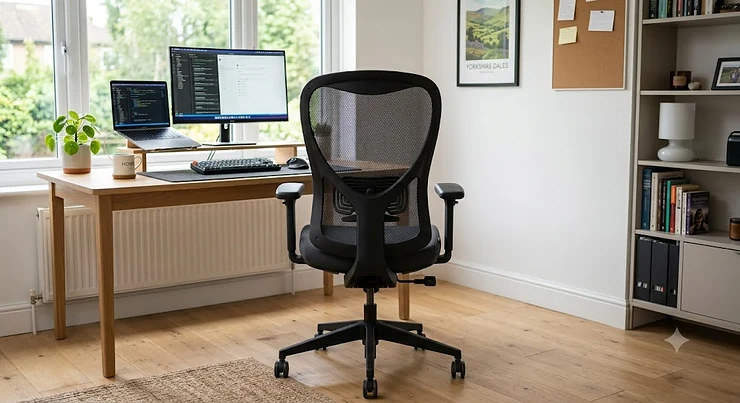
What is an ergonomic office chair with lumbar support? In short, it’s a task chair engineered around spinal alignment rather than just aesthetics — typically featuring an adjustable or contoured backrest pad that pushes gently into your lower back, plus seat depth, height and tilt adjustments that let you match the chair to your own proportions rather than the other way around.
We’ve spent time digging through real specifications, verified aggregated review sentiment, and independent testing data to pull together seven genuinely good options — from a sub-£150 mesh chair that punches well above its price to a Herman Miller you could plausibly still be sitting in a decade from now. The Health and Safety Executive is explicit that employers carry a duty to protect workers from back pain risks caused by their work, and for anyone clocking eight hours a day at a laptop, the chair is where that protection realistically starts. Whether you’re kitting out a spare-room office in Leeds or upgrading a corner desk in a shared London flat, there’s a genuinely useful match somewhere in this list.
Quick Comparison Table
| Chair | Best For | Lumbar System | Price Range |
|---|---|---|---|
| Hbada P3 Pro | Tight budgets, first-time buyers | 2D adjustable pad | under £150 |
| SIHOO M18 | All-round adjustability on a budget | Fixed contoured mesh | £150-£220 range |
| Duramont Ergonomic Office Chair | Long shifts, extensive tweaking | 4D adjustable pad | £200-£280 range |
| SIHOO M59S | Posture shifters, fidgety sitters | Adaptive dual-back | £250-£320 range |
| Secretlab Titan Evo | Gamers-turned-remote-workers | Magnetic memory foam | £380-£520 range |
| Steelcase Leap V2 | Chronic lower back pain, 8hr+ days | LiveBack adaptive | mid-£700s-£900s range |
| Herman Miller Aeron | Long-term investment, hot sitters | PostureFit SL | high-£700s-£1,000+ range |
Looking at the spread above, the gap between the Hbada P3 Pro and the Herman Miller Aeron isn’t just price — it’s the difference between a fixed pad that helps and a system engineered to move with your spine as you shift throughout the day. The middle tier, occupied by the Duramont Ergonomic Office Chair and SIHOO M59S, is where most home workers actually land, because 4D and dual-back adjustment covers a genuinely wide range of body types without the four-figure outlay. If you already know you sit still for hours at a stretch, a fixed lumbar chair is fine; if you shift and slouch and recline without noticing, the adaptive systems higher up this table earn their premium.
💬 Just one click — help others make better buying decisions too!😊
Top 7 Ergonomic Office Chairs With Lumbar Support: Expert Analysis
1. Hbada P3 Pro — best budget pick under £150
The Hbada P3 Pro proves that decent lumbar engineering doesn’t have to cost a fortune, and honestly, that’s the whole appeal. Key specs worth knowing: it has 2D adjustable lumbar support (height and depth), a 3D adjustable headrest, flip-up armrests, and a 135° stepless recline — meaning you can lock the tilt anywhere along that range rather than choosing between two fixed positions. In practice, that stepless mechanism is the standout feature; most sub-£150 chairs offer a single “leaned back” setting or none at all. This is the chair for someone furnishing their first proper home office, or a student who needs real lumbar support without the premium price tag. Reviewers consistently report that the mesh backrest stays cool over long sessions and that assembly, while fiddly, takes under 30 minutes with the supplied tools. A recurring theme in aggregated feedback is that the armrests feel less sturdy than the rest of the frame, so buyers who lean heavily on their elbows may want to budget for an upgrade down the line.
Pros:
- ✅ Genuinely adjustable 2D lumbar pad at this price point
- ✅ Stepless 135° recline rather than fixed positions
- ✅ Lightweight and simple to assemble solo
Cons:
- ❌ Armrests feel less robust under sustained pressure
- ❌ Seat cushion may compress faster than pricier foams
At under £150, the value case is straightforward: this is the entry point for anyone who wants genuine lumbar adjustment rather than a flat, unshaped backrest, and it’s a sensible first step before committing to a bigger spend.
2. SIHOO M18 — best five-point adjustability for the price
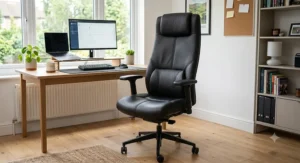
The SIHOO M18 stacks five distinct adjustment points — headrest, backrest recline, armrests, seat height and lumbar contour — into a chair that typically sits in the low-to-mid £150-£220 range. What stands out immediately is the W-shaped, waterfall-edge seat cushion, which is designed to reduce pressure behind the knees during long sits, something flat budget seats routinely get wrong. Based on the spec comparison, the mesh backrest’s fixed lumbar contour won’t move independently the way pricier pads do, but it’s shaped to sit against the natural curve of an average-height adult, which covers a lot of buyers without extra fiddling. This is a strong option for professionals and students who want reliable, no-nonsense support for daily prolonged use rather than granular customisation. The chair carries BIFMA certification and has reportedly passed static pressure testing to a 150kg capacity, which speaks to build confidence beyond marketing copy. Aggregated user sentiment frequently praises the breathability of the mesh and the ease of the recline lock, with occasional notes that taller users (above roughly 6’2″) find the fixed lumbar curve sits slightly too low.
Pros:
- ✅ Five genuine adjustment points at a mid-budget price
- ✅ BIFMA-certified build tested to 150kg
- ✅ W-shaped seat reduces pressure behind the knees
Cons:
- ❌ Lumbar contour is fixed rather than independently adjustable
- ❌ Less ideal for users above roughly 6’2″
Given the certification and the five-point adjustability, the SIHOO M18 represents strong value for anyone who wants a chair that feels considered rather than assembled from spare parts.
3. Duramont Ergonomic Office Chair — best all-rounder for long shifts
Few chairs on Amazon get name-checked as often as the Duramont Ergonomic Office Chair, and the 4D lumbar system is the reason why. That’s four directions of movement — up, down, in and out — which lets you place support at the exact point on your lower back that’s actually complaining, rather than an average location that might not match your torso length. Independent testing has noted that while it doesn’t outperform premium chairs, it “does have support all the way up your back and an integrated headrest, is relatively durable, and is easy to assemble.” The breathable mesh back pairs with a thick foam seat cushion, and the recline lever locks at any angle between roughly 90° and 155° rather than forcing a binary choice. Honestly, that continuous recline lock is what most cheaper chairs get wrong, and it’s the detail that makes the Duramont feel like a genuine step up rather than a repackaged basic. Reviewers commonly flag the headrest as the weak point — several report it sits awkwardly for shorter users — while praising the overall adjustability range for the price bracket.
Pros:
- ✅ True 4D lumbar movement, not just up-and-down
- ✅ Recline locks at any angle from 90° to 155°
- ✅ 330lb weight capacity backed by a 5-year warranty
Cons:
- ❌ Headrest positioning suits taller users better
- ❌ Lumbar depth adjustment has a limited range of travel
For buyers who sit eight hours daily and want independent control over nearly every axis without paying premium prices, this chair earns its reputation as a genuine long-shift workhorse.
4. SIHOO3U1pdyU M59S — best adaptive dual-back lumbar system
The SIHOO M59S takes a different engineering approach entirely: instead of a static pad you set once, the dual-back design uses a lower backrest section that flexes independently of the upper back, moving with you as you shift, lean and recline throughout the day. What most buyers overlook about adaptive systems like this is that they’re solving a different problem than fixed pads — they’re not trying to hold you in one “correct” posture, they’re trying to stay supportive across many postures. The chair also features 80° flip-up armrests, which fold flush enough to tuck the whole thing under a desk, a genuinely useful trick for small home offices or shared spaces. Seat height and tilt tension are independently adjustable, and the mesh construction keeps things breathable during warmer months. This is the pick for anyone who’s tried a fixed-lumbar chair before and found themselves constantly readjusting a knob that never quite matches how they actually sit. Aggregated review sentiment describes the dual-back flex as noticeably different from competitor chairs in the same price bracket, with the main complaint being that the adaptive tension takes a week or two of fiddling to dial in correctly.
Pros:
- ✅ Adaptive dual-back moves with posture changes
- ✅ Space-saving 80° flip-up armrests
- ✅ Independent seat height and tilt tension controls
Cons:
- ❌ Tension settings need a short break-in period to dial in
- ❌ Bulkier footprint than single-back mesh alternatives
If you’re someone who fidgets, reclines mid-call, and generally can’t sit still for two hours straight, the adaptive system here is worth the step up from a fixed-pad chair.
5. Secretlab Titan Evo — best magnetic lumbar precision
Don’t let the gaming-chair label put you off — the 2026 Secretlab Titan Evo has shed the garish branding of its earlier generations and delivers genuine ergonomic substance, typically priced in the £380-£520 range direct from Secretlab’s UK site. The standout feature is the magnetic memory foam lumbar system: two external dials let you set vertical position and depth independently, and once set, magnets hold that position precisely rather than slipping under load the way lever-based pads sometimes do. In real-world terms, that means you’re not re-adjusting a knob every time you shift your weight, which is exactly the failure point of cheaper adjustable-lumbar chairs. The NEO Hybrid Leatherette covering resists spills and stays comfortable across long sessions without the sweaty-back problem some faux-leather chairs create. This suits remote workers who came from gaming setups and want that same build quality applied to eight-hour workdays, plus anyone who wants a chair that looks sharp on a video call. Reviewers who’ve logged extended use consistently note that the magnetic adjustment stays put far better than pin-and-lever mechanisms, though a handful mention the seat runs slightly firm for the first few weeks.
Pros:
- ✅ Magnetic lumbar dials hold position without slipping
- ✅ Spill-resistant NEO Hybrid Leatherette covering
- ✅ Robust build quality carried over from gaming chair design
Cons:
- ❌ Seat cushion firmness takes weeks to break in
- ❌ Sold primarily direct rather than widely on Amazon.co.uk
At this price tier, the Secretlab Titan Evo competes directly with mid-range office-specific brands, and for buyers who prioritise a lumbar system that simply doesn’t move once set, it’s a legitimately smart pick.
6. Steelcase Leap V2 — best LiveBack technology for shifting posture
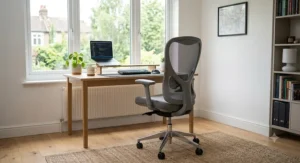
The Steelcase Leap V2 is the chair ergonomics professionals actually recommend when someone mentions chronic lower back pain, and the LiveBack technology is why. Rather than a single pad, the entire backrest flexes to mimic the natural movement of a healthy spine as you recline, meaning the support follows your lower back curvature through the full range of motion instead of holding one fixed shape. New units typically list in the $1,200-$1,800 range in the US, though UK buyers more commonly find well-configured or professionally refurbished units in the mid-£700s to £900s range through specialist resellers. Here’s what to weigh: the adjustable-height lumbar pad lets you place support at the exact vertebrae causing discomfort — something fixed systems, including Herman Miller’s own PostureFit, can’t replicate as precisely. Steelcase backs the Leap with a 12-year warranty covering up to roughly 400lbs, and the 4D armrests adjust for height, width, depth and pivot. Reviewers and ergonomics specialists alike consistently rate this chair highest for users who shift position constantly rather than sitting still, though the foam seat does show compression wear by around year twelve of daily use, when a reupholster typically costs £150-£250.
Pros:
- ✅ LiveBack flex adapts through the full recline range
- ✅ Height-adjustable lumbar pad targets exact vertebrae
- ✅ 12-year warranty covering up to 400lbs
Cons:
- ❌ New pricing puts it well above most home-office budgets
- ❌ Seat foam eventually compresses and needs reupholstering
For anyone whose main complaint is specific, located lower back pain rather than general fatigue, the Steelcase Leap V2 is arguably the most clinically convincing chair on this list.
7. Herman Miller Aeron — best 20-year investment chair
The Herman Miller Aeron is the chair every recognisable tech office seems to own, and the 12-year, no-exclusions warranty tells you exactly how confident the company is in its longevity. New units list from roughly £900 up past £1,300 depending on configuration, though a healthy refurbished market brings well-serviced examples down into a more approachable mid-range bracket. The PostureFit SL system is the key spec: it’s a fixed but precisely tuned two-part pad that supports both the sacrum and the lumbar curve, set once during initial adjustment and left alone rather than fiddled with daily. Where this chair genuinely separates itself is the Pellicle mesh seat and back, which breathes in a way foam simply can’t — reviewers who run warm consistently rate the Aeron as the most comfortable option for multi-hour sessions in a heated home office. Based on the spec comparison against the Leap V2, the trade-off is precision versus adaptability: the Aeron’s support is exceptional once dialled in but doesn’t flex with you the way LiveBack does. Long-term owner reports note that a 15-year-old Aeron with a serviced gas-lift cylinder can feel nearly new, since the mesh doesn’t compress the way padded seats eventually do.
Pros:
- ✅ PostureFit SL supports both sacrum and lumbar curve
- ✅ Pellicle mesh stays breathable through long, warm sessions
- ✅ 12-year warranty with genuinely exceptional long-term durability
Cons:
- ❌ Highest upfront cost of any chair on this list
- ❌ Less ideal for users who prefer a padded, upright seat
If you’re the kind of buyer who sets a chair up once and expects to still be using it in a decade, the value maths on the Herman Miller Aeron genuinely works out, even at the premium entry price.
Practical Usage Guide: Getting Your Lumbar Support Right From Day One
Buying the right chair is half the job — setting it up correctly is the other half, and it’s the part most people skip. Start by sitting all the way back in the seat so your lower back actually meets the lumbar pad; perching forward, even slightly, defeats the entire point of an adjustable lumbar support office chair. Next, adjust the pad’s height until it sits in the small curve just above your belt line, not your mid-back, then dial in the depth so it presses gently rather than digging in. Set seat height so your feet rest flat on the floor with knees at roughly 90 degrees, and only then adjust armrests to meet your forearms without lifting your shoulders. A common first-30-days mistake is setting everything once and never touching it again — your lumbar needs shift depending on footwear, other seating that day, and even how tired your core muscles are. Build a habit of a five-second lumbar check whenever you sit down, and a proper maintenance schedule: check the gas lift and casters every few months, and re-tension the recline mechanism if it starts drifting. Genuinely small habits, but they’re the difference between a chair that helps and one that just sits there looking supportive.
Real-World Scenarios: Which Chair Actually Suits You?
Picture three different desks. First, a university student in a shared house, budget capped around £150, sitting maybe five hours a day between lectures — the Hbada P3 Pro covers that brief comfortably, with genuine lumbar adjustment they wouldn’t get from a £60 basic. Second, a freelance designer working from a spare room eight-plus hours daily, occasionally reclining for calls, who’s tried cheaper chairs and kept readjusting a lumbar knob that never quite fit — that’s exactly the profile the SIHOO M59S‘s adaptive dual-back was built for. Third, someone in their late 40s managing recurring lower back pain confirmed by a physio, working full-time from a permanent home office setup, for whom cost is secondary to genuine relief — the Steelcase Leap V2 or Herman Miller Aeron both make sense as long-term investments rather than one-off purchases. None of these profiles is more “correct” than another; the honest answer is that budget, hours logged per day, and whether you sit still or shift constantly should drive the decision far more than brand reputation alone.
What Is Lumbar Support, and Why Does Lower Back Curvature Matter?
Your lumbar spine has a natural forward curve — technically called lordosis — that exists to absorb load and distribute weight evenly through the vertebrae. When you sit in a chair without support, gravity pulls your pelvis backward, flattening that curve and shifting load onto the discs between vertebrae rather than the muscles designed to bear it. NHS physiotherapy teams that publish seating and ergonomics guidance frame this the same way: maintaining the spine’s natural S-shaped curve while seated distributes weight evenly, so muscles aren’t left fighting an unsupported, collapsed position. A genuine spinal support cushion or built-in lumbar pad works by physically filling that gap, nudging your pelvis back into a more neutral position so the natural curve is preserved rather than lost. It’s not a magic fix — no chair replaces core strength or regular movement — but over an eight-hour working day, the cumulative difference between supported and unsupported lumbar curvature adds up to real, measurable strain reduction.
How to Choose an Ergonomic Office Chair With Lumbar Support
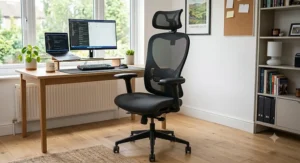
- Match the lumbar system to how you sit. Fixed pads suit people who sit relatively still; adaptive or 4D systems suit people who shift, recline and fidget throughout the day.
- Check seat depth, not just height. A seat that’s too deep pushes the lumbar pad away from your back entirely, no matter how well the pad itself is engineered.
- Prioritise independent armrest adjustment. Height-only armrests force compromises; 3D or 4D armrests let you match forearm position without twisting your shoulders.
- Look for a genuine recline lock, not just a tilt. Being able to lock recline at multiple angles — not just upright or fully back — matters more than most buyers expect.
- Weigh material against your climate and build. Mesh breathes better for warm sitters; padded foam suits people who run cold or prefer a firmer, more structured feel.
- Factor in weight capacity honestly. Manufacturer ratings are tested maximums, not comfortable long-term limits — buy comfortably within your range, not right at the edge.
- Read aggregated review themes, not star averages. A 4.3-star chair with consistent “armrests feel flimsy” complaints tells you more than the number itself.
Adjustable Lumbar Support Office Chair vs Fixed-Pad Alternatives
The difference between an adjustable lumbar support office chair and a fixed-pad model isn’t just a spec sheet line — it changes how the chair behaves over months of use. Fixed pads, like the contoured mesh in the SIHOO M18, are shaped once by the manufacturer to suit an average torso, which works well if your proportions land near that average and you mostly sit in one position. Adjustable systems, whether the 2D pad on the Hbada P3 Pro or the full 4D range on the Duramont Ergonomic Office Chair, let you shift support height and depth to match your actual lower back curvature rather than a statistical average. What most buyers overlook is that adjustability introduces a trade-off: more moving parts generally means more that can eventually wear or need re-tensioning, whereas fixed pads have fewer failure points but less precision. For shorter or taller-than-average users, adjustable systems are close to essential; for users who sit near the middle of the height distribution, a well-shaped fixed pad can genuinely perform just as well at a lower price.
Common Mistakes When Buying a Desk Chair With Lumbar Support
The single most common mistake is buying based on the word “ergonomic” appearing in the product title rather than checking whether the lumbar system is actually adjustable or even present in a meaningful way — plenty of budget chairs use the term loosely. A close second is ignoring seat depth entirely; even a chair with excellent lumbar engineering fails if the seat pan is too long for your thighs, because you either sit too far forward to reach the backrest or sacrifice knee comfort to reach it. Buyers also frequently skip checking weight capacity against their actual weight with a sensible margin, which shortens the working life of the gas lift and frame. Another overlooked issue is assuming higher price always means better lumbar support — the Secretlab Titan Evo‘s magnetic system genuinely outperforms some pricier office-branded chairs in terms of adjustment precision, so brand tier and lumbar quality don’t always move together. Finally, many buyers set the lumbar pad once during unboxing excitement and never revisit it, missing that posture needs shift with fatigue, footwear, and even the time of day.
Long-Term Cost and Maintenance
Sticker price tells you almost nothing about total cost of ownership. A £150 chair replaced every eighteen months because the gas lift fails or the mesh tears works out more expensive over five years than a £280 chair backed by a genuine multi-year warranty and a sturdier frame. The Duramont Ergonomic Office Chair‘s 5-year warranty and the Steelcase Leap V2‘s 12-year coverage both reflect manufacturer confidence that translates into fewer replacement cycles. Maintenance costs are modest across the board — occasional caster cleaning, gas lift checks, and eventually a reupholster on padded-seat chairs around the decade mark, typically £150-£250 for premium models. Mesh-backed chairs like the Aeron largely sidestep that reupholstering cost altogether, since Pellicle mesh doesn’t compress or sag the way foam eventually does. When you divide total spend, including any mid-life servicing, by years of genuinely comfortable daily use, the premium tier often works out cheaper per year than repeatedly replacing budget chairs that quietly degrade.
Spinal Support Cushions: A Budget Alternative or Smart Add-On?
Not everyone is ready to replace a whole chair, and that’s where a standalone spinal support cushion earns its place. These are typically curved memory foam or gel-infused pads that strap to any existing chair back, aiming to recreate the same lower-back-curve support built into dedicated ergonomic chairs. Reviewers consistently note that a well-shaped cushion can meaningfully improve comfort on an otherwise flat office chair, making it a sensible stopgap for renters, shared offices, or anyone not ready for a full chair budget. That said, a cushion can’t replicate seat depth adjustment, armrest positioning, or recline locking — the other pillars of proper posture support — so treat it as a genuine improvement rather than a full substitute. For anyone using a hand-me-down desk chair at home, pairing it with a decent spinal support cushion is honestly one of the best value-for-money posture upgrades available, often costing a fraction of even the budget chairs on this list.
✨ Don’t Miss These Exclusive Deals!
🔍 Take your home office setup to the next level with these carefully selected chairs. Click on any highlighted product to check current pricing and availability. Proper lumbar support is one of the simplest upgrades you can make to how your back feels by Friday afternoon!
Benefits vs Traditional Office Chairs
| Feature | Ergonomic Lumbar Chair | Traditional Office Chair | Best For |
|---|---|---|---|
| Lumbar curve support | Adjustable or contoured pad | Flat or minimal padding | Long sitting sessions |
| Seat depth adjustment | Common on mid-range and up | Rarely available | Non-average body proportions |
| Recline control | Multi-angle lock | Often binary (up/back) | Users who shift position |
| Warranty coverage | 3-12 years typical | 1-2 years typical | Long-term cost planning |
The gap in this table isn’t subtle — traditional office chairs were largely designed around cost and stacking convenience, not spinal alignment, which is why the flat-backed chair sitting in most UK meeting rooms rarely helps anyone’s lower back. Ergonomic models close that gap specifically through adjustability, and the warranty difference alone often justifies the price gap once you account for replacement cycles. For anyone spending more than four hours a day seated, the traditional chair column represents a false economy dressed up as a saving.
Buyer’s Decision Framework
If your budget is under £200 and you sit fewer than six hours daily, choose a fixed-pad mesh chair like the SIHOO M18, because the lumbar shaping is good enough for moderate use without paying for adjustability you won’t fully exploit. If you shift posture constantly and your budget stretches to £250-£350, choose an adaptive dual-back system like the SIHOO M59S, because static pads will always feel slightly wrong as you move. If you have diagnosed or recurring lower back pain and can invest £700 or more, choose the Steelcase Leap V2, because the LiveBack flex is the closest thing to a clinically endorsed lumbar solution on this list. And if you’re furnishing a permanent home office you expect to use for a decade or more, the Herman Miller Aeron‘s warranty and mesh longevity make the higher entry price a genuinely defensible long-term decision rather than an indulgence.
Safety, Regulations and Workplace Compliance
If you’re setting up a chair for an employer-provided home office in the UK, it’s worth knowing the legal backdrop. The Display Screen Equipment Regulations 1992 place a duty on employers to properly assess any workstation their staff use for work, identify the health and safety risks that assessment turns up, and reduce those risks as far as reasonably practicable. In practice, that means employers have a genuine legal obligation to consider seating as part of a proper workstation risk assessment, not just supply any chair and call it done. For anyone self-employed or working for a smaller employer without formal DSE processes, using the same checklist independently is still worthwhile — it covers screen height, keyboard position and, crucially, whether your chair actually supports your lower back through a full working day. None of the chairs on this list requires certification to use safely at home, but choosing one that addresses lumbar curvature directly puts you well ahead of the regulatory minimum most workplaces are only required to meet, not exceed.
Price Range and Value Analysis
| Tier | Price Range | Example | Value Verdict |
|---|---|---|---|
| Budget | under £220 | Hbada P3 Pro, SIHOO M18 | Strong entry-level lumbar support |
| Mid-range | £220-£520 | Duramont, SIHOO M59S, Secretlab Titan Evo | Best adjustability-to-cost ratio |
| Premium | mid-£700s and up | Steelcase Leap V2, Herman Miller Aeron | Long-term investment, exceptional durability |
Value isn’t purely about the lowest number on the price tag — it’s cost divided by years of genuine comfort. The mid-range tier consistently offers the sharpest value curve because adjustability jumps significantly between budget and mid-range, while the jump from mid-range to premium is more about longevity and precision than raw features. Buyers on a tight timeline or short-term lease should lean budget or mid-range; anyone treating their home office as a permanent fixture should seriously weigh the premium tier’s warranty math.
Seated Posture: Small Habits That Multiply the Chair’s Benefits
Even the best lumbar system can’t fully compensate for consistently poor seated posture habits. Set a recurring reminder every 45-60 minutes to stand, stretch, and reset your position — the chair supports good posture, but it doesn’t force it. Keep your screen at eye level so you’re not craning your neck forward, which pulls your whole upper body out of alignment regardless of how well your lower back is supported. Avoid crossing your legs for extended periods, since it tilts the pelvis unevenly and can undercut even a well-adjusted lumbar pad. And resist the urge to perch on the front third of the seat during focused work — it feels natural when concentrating, but it disconnects you entirely from the lumbar support you paid for. These habits cost nothing and take less effort than most people assume, yet they compound the benefit of whichever chair from this list you end up choosing.
Frequently Asked Questions
❓ What is the best ergonomic office chair with lumbar support for back pain?
❓ Do adjustable lumbar support office chairs actually work?
❓ How much should I spend on a lumbar support desk chair?
❓ Can a spinal support cushion replace a proper ergonomic chair?
❓ How do I know if my chair's lumbar support fits my lower back curvature?
Conclusion
There’s no single “best” ergonomic office chair with lumbar support — there’s only the best one for how you actually sit, how many hours you log, and what you’re willing to spend on comfort you’ll feel every single working day. The Hbada P3 Pro and SIHOO M18 prove that genuine adjustable lumbar support doesn’t require a premium budget, while the Duramont Ergonomic Office Chair and SIHOO M59S cover the vast majority of home workers who sit long hours and shift position throughout the day. At the top end, the Secretlab Titan Evo, Steelcase Leap V2, and Herman Miller Aeron each make a genuinely different case for the premium tier — precision, clinical adaptability, and sheer longevity respectively. What matters most is matching the lumbar system’s behaviour, fixed versus adaptive, to your own sitting habits rather than chasing the highest spec sheet. Get that match right, pair it with a few honest posture habits, and the ache that used to show up by 3pm has a real chance of simply not turning up at all.
Recommended for You
- Best Mesh Ergonomic Office Chair UK 2026: 7 Top Picks Tested
- Ergonomic Chair vs Standard Office Chair: 7 Honest Picks
- 7 Best Ergonomic Office Chairs for Home Office in 2026
Disclaimer: This article contains affiliate links. As an Amazon Associate, I earn from qualifying purchases. If you purchase products through these links, we may earn a small commission at no additional cost to you.
✨ Found this helpful? Share it with your friends! 💬🤗
