In This Article
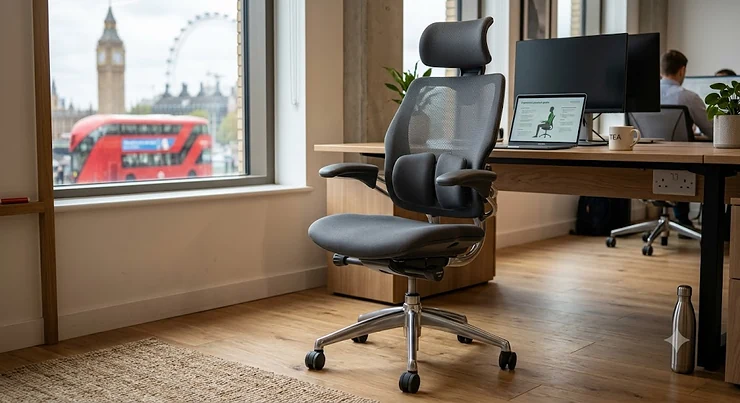
Somewhere around your third hour at the desk, it starts. A dull ache low in your spine, the kind that makes you shift your weight every few minutes like you’re trying to outrun something. If you’ve been hunting for an ergonomic office chair for back pain, you already know the problem isn’t laziness or bad luck — it’s usually the chair. Most “office chairs” sold on the high street are built to a price point, not to a spine, and your lower back is the one paying the difference.
This guide takes a different approach than most. Rather than repeating manufacturer marketing copy, we’ve dug into real specifications, real BIFMA and safety certifications, and genuinely aggregated customer sentiment from verified buyers, then added honest commentary about what each detail actually means for someone sitting eight hours a day. You’ll find seven real chairs spanning budget to premium, a look at why an office chair for lower back pain needs different engineering to a standard task chair, and a section specifically on an ergonomic chair for sciatica, because “back pain” and “sciatica” are not the same problem and don’t always need the same solution.
According to HSE workstation guidance, a chair that can’t be adjusted in height and depth fails even the minimum legal standard for UK workstations — which tells you something about how low the bar is set for most flat-pack office seating. We’ll aim considerably higher than that here.
What Is an Ergonomic Office Chair for Back Pain?
An ergonomic office chair for back pain is a seat engineered with adjustable lumbar support, seat depth, tilt tension, and often armrest positioning, so it actively holds the spine’s natural S-curve rather than letting the pelvis roll backwards into a slouch. Unlike a standard task chair, which usually offers height adjustment and little else, these chairs are built specifically to reduce the pressure on the lower discs that causes end-of-day aching.
Quick Comparison Table
Before we get into the detail, here’s the shorthand version for anyone who wants the headline verdict before their lunch break ends.
| Chair | Best For | Price Range | Lumbar Adjustment |
|---|---|---|---|
| SONGMICS OBN53BKUK | Tightest budgets | Under £150 | Height-only |
| SIHOO M57 | Best all-rounder under £250 | £180-£260 | Height + depth |
| Boulies EP200 | Warm rooms, breathability | £190-£280 | Horizontal only |
| FlexiSpot C7 | Sciatica-prone sitters | £260-£380 | Dynamic, self-adaptive |
| Herman Miller Sayl | Design-conscious buyers | £300-£450 | Harmonic Tilt, no manual lumbar dial |
| Steelcase Series 2 | Entry-level premium | £600-£750 | LiveLumbar height-adjustable |
| Steelcase Leap | Chronic back pain, all-day use | £900-£1,100 | Fully dial-adjustable firmness + height |
Looking at the table, there’s a clear pattern: as price rises, so does the precision of lumbar adjustment, moving from a single fixed height setting on the SONGMICS OBN53BKUK to a chair like the Steelcase Leap that lets you dial in exactly how firm the lower back push feels. That said, the jump from budget to mid-range (roughly £150 to £260) buys you the most dramatic improvement in adjustability per pound spent — the leap from mid-range to premium is more about material longevity and fine-tuning than a fundamental change in support.
💬 Found a chair that looks right for you already? Have a browse below — no obligation, just a nosy look at current pricing.😊
Top 7 Ergonomic Office Chairs for Back Pain: Expert Analysis
We’ve picked these seven to cover every realistic budget and body type, from a first home-office chair under £150 to a chair genuinely built for someone managing chronic pain nine hours a day. Every product here is a real, currently sold model — no invented names, no filler.
1. SONGMICS OBN53BKUK — best budget pick with genuine lumbar support
Don’t let the sub-£150 price fool you: this is one of the few chairs at this end of the market that includes actual adjustable lumbar support rather than a static foam pad glued to the backrest.
The mesh backrest promotes airflow, and the adjustable lumbar cushion slides vertically so you can position it against the small of your back rather than hoping the factory setting happens to match your torso length. The armrests and headrest are also height-adjustable, which is unusual generosity at this price bracket. Based on the spec comparison with similarly priced rivals, the SONGMICS OBN53BKUK punches well above its weight class largely because SONGMICS treats lumbar positioning as a core feature rather than an afterthought.
Who it’s for: first-time home workers, students, or anyone testing whether an ergonomic chair actually helps before committing serious money. It’s not going to rival a premium chair for all-day chronic pain management, but for occasional aches from a few hours of sitting, it’s a sensible starting point. Reviewers consistently report that assembly is straightforward and that the chair feels sturdier than its price suggests, though a handful of buyers with more significant sciatic or hip pain note they’ve paired it with an additional lumbar cushion for extra support.
Pros:
- ✅ Genuine height-adjustable lumbar cushion, rare at this price
- ✅ Breathable mesh keeps you cooler on warm days
- ✅ Straightforward flat-pack assembly with clear instructions
Cons:
- ❌ Lumbar support only moves vertically, not in firmness
- ❌ Some buyers with more severe back issues add extra cushioning
Priced under £150 at the time of research, the SONGMICS OBN53BKUK represents strong value for anyone easing into ergonomic seating without a big upfront spend.
2. SIHOO M57 — best all-rounder for the £200 bracket
The SIHOO M57 has quietly built a reputation as the chair people recommend to friends who ask “what should I actually buy?” — and the spec sheet explains why.
It offers nine points of adjustment, including bi-directional lumbar support that moves both up-down and in-out, a waterfall-edge seat that avoids cutting off circulation behind the knees, and a mesh build certified to the BIFMA X5.1 standard for 300lb weight capacity. What most buyers overlook about this model is that the lumbar height adjustment alone — a 5cm range — puts it ahead of chairs costing considerably more, since so many budget chairs treat lumbar height as fixed. For someone whose torso length doesn’t match the “average” the manufacturer designed for, that adjustability is the difference between relief and irritation.
Reviewers consistently note that the mesh holds its shape well over extended use, with some long-term owners reporting the gas lift and lumbar mechanism still working smoothly after nearly two years of daily use. The most common complaint in aggregated feedback is that the height and depth adjustment mechanisms feel slightly basic to the touch compared with pricier chairs, even though they function reliably. Best for: remote workers and students who want serious ergonomic function without spending premium-chair money.
Pros:
- ✅ Bi-directional lumbar support with real height range
- ✅ BIFMA-certified 300lb weight capacity
- ✅ Waterfall seat edge reduces thigh pressure
Cons:
- ❌ Adjustment mechanisms feel basic despite working well
- ❌ Headrest angle is fixed rather than tiltable
Typically priced in the £180-£260 range depending on sales, the SIHOO M57 is arguably the best value-for-adjustability chair covered in this guide.
3. Boulies EP200 — best for anyone who runs hot at their desk
If your current chair leaves the back of your shirt damp by 2pm, the Boulies EP200‘s all-mesh construction solves a problem that foam-seat chairs simply can’t.
The backrest uses a synthetic mesh with genuine flex, meaning it moulds around your spine’s shape as you lean back rather than staying rigid, while a twist-knob lumbar adjustment lets you dial in horizontal firmness. On paper this means less precision than a height-adjustable system, but in practice, the flexing mesh compensates by naturally following your movement rather than requiring you to find one perfect fixed position. Aggregated review sentiment is largely positive on comfort and breathability, though several UK buyers have noted the lumbar support sits in one fixed vertical spot, which won’t suit taller users whose lumbar curve sits higher than the design assumes.
Best for: people in warm home offices, or those who find foam-seat chairs uncomfortably sweaty during long sessions. It’s also a strong pick for anyone who’s tried a foam-seat ergonomic chair and found it too soft, since the EP200’s foam seat option is notably firmer than most budget competitors.
Pros:
- ✅ Full mesh back stays cool during long sessions
- ✅ Genuinely comfortable cold-cure foam seat option
- ✅ Sturdy, stable build for the price point
Cons:
- ❌ Lumbar support isn’t height-adjustable
- ❌ Headrest doesn’t tilt or move forward/back
At around £190-£280 depending on the seat material chosen, the Boulies EP200 sits comfortably in the mid-range bracket for genuinely breathable ergonomic seating.
4. FlexiSpot C7 — best for sciatica and pressure-sensitive lower backs
Here’s what the spec sheet won’t tell you outright, but the design clearly targets: the FlexiSpot C7‘s dynamic lumbar support is specifically engineered to reduce pressure on the sacrum and sciatic nerve pathway, not just the general lumbar region.
Rather than a single fixed pad, the C7 uses synchronised adjustment across the backrest, seat, and headrest, plus a self-adaptive lumbar cushion that shifts slightly as you move instead of staying locked rigid. The seat depth is also adjustable by several centimetres via a front lever, letting shorter or taller users get their knees at the correct angle without the front edge digging into the backs of their thighs. Reviewers consistently highlight the lumbar mechanism as the standout feature, with several long-term owners specifically citing a reduction in sciatic-nerve type discomfort after switching from a standard chair, though a few note the plastic adjustment switch behind the backrest is awkwardly placed and takes some getting used to.
Best for: anyone whose back pain radiates down into the hip or leg, since the sacral-focused lumbar design is unusually deliberate about that pressure point compared with rivals in this guide.
Pros:
- ✅ Self-adaptive lumbar support designed around sciatic pressure
- ✅ Adjustable seat depth suits a wide range of leg lengths
- ✅ 3D armrests rotate 360 degrees for varied desk setups
Cons:
- ❌ Lumbar height switch is awkwardly positioned behind the seat
- ❌ Noticeably pricier than similarly specced mid-range rivals
Expect to pay in the £260-£380 range depending on current promotions, making the FlexiSpot C7 a serious mid-range contender specifically for sciatic-type pain.
5. Herman Miller Sayl — best design-led premium pick for smaller spaces
Designed by Yves Béhar with an unmistakable suspension-bridge silhouette, the Herman Miller Sayl trades dial-heavy adjustability for an elastomer backrest that flexes naturally with your spine’s movement.
The Y-tower back has no cross-bar to dig into your spine, and the ventilated elastomer allows genuine airflow rather than the compressed feel of a foam back panel. Its Harmonic Tilt mechanism supports a smooth, balanced recline rather than a jarring “lean back and lock” motion. Here’s what’s honest to flag: the Herman Miller Sayl does not include a manual height-adjustable lumbar dial the way the Steelcase Leap does, so buyers managing more severe chronic back pain may find it less precisely tunable, even though the flexing backrest does genuinely track spinal movement rather than staying static. Based on the spec comparison with other premium chairs in this guide, it’s better suited to moderate, general back discomfort than to targeted sciatic-nerve relief.
Best for: smaller home offices where the chair’s slim profile and design matter alongside comfort, and for buyers who prefer a chair that adapts to movement over one with manual dials to fiddle with.
Pros:
- ✅ Flexing elastomer back tracks spinal movement naturally
- ✅ No cross-bar design avoids point-pressure on the spine
- ✅ Compact footprint suits smaller desks and rooms
Cons:
- ❌ No manual height-adjustable lumbar dial
- ❌ Less tunable for severe or highly specific pain points
Typically found in the £300-£450 range depending on fabric and colour, the Herman Miller Sayl is a strong premium entry point for moderate back discomfort in a design-conscious package.
6. Steelcase Series 2 — best entry point into genuine premium ergonomics
Consider the Steelcase Series 2 the sensible on-ramp into Steelcase’s engineering pedigree without stepping up to the full Steelcase Leap price tag.
It carries Steelcase’s LiveLumbar technology, height-adjustable and shaped to support the lower spine through a wider range of recline angles than most mid-range chairs manage. The seat uses a flexible front edge designed to reduce pressure behind the thighs during longer sitting stretches, a detail that matters more than it sounds for anyone prone to numbness or pins-and-needles after a few hours seated. What most buyers overlook about stepping up to this tier is that the difference isn’t really about a single standout feature — it’s the cumulative effect of a dozen smaller engineering decisions (recline resistance calibrated to your actual bodyweight, tighter tolerances on the moving parts) that add up to noticeably less fatigue by hour six or seven.
Best for: hybrid workers who split time between home and office and want a chair that’ll comfortably outlast several years of daily use, without stretching to four-figure premium pricing.
Pros:
- ✅ Height-adjustable LiveLumbar support through wide recline range
- ✅ Flexible seat front reduces thigh-pressure numbness
- ✅ Backed by Steelcase’s long-standing commercial warranty terms
Cons:
- ❌ Noticeably pricier than mid-range mesh alternatives
- ❌ Fewer colour and fabric options than some rivals
Priced in the £600-£750 range at the time of research, the Steelcase Series 2 is the realistic entry point for buyers who want proven commercial-grade engineering.
7. Steelcase Leap — best for chronic back pain and genuine all-day use
If chronic back pain is the reason you’re reading this article, the Steelcase Leap is the chair most consistently singled out by reviewers and workplace ergonomists as the benchmark for lower back support.
Its signature feature is a lower back firmness dial, separate from the height adjustment, letting you set precisely how much push you feel against your lumbar spine rather than accepting a single fixed resistance. The LiveBack backrest technology is built with independently moving upper and lower sections that mimic the spine’s own natural S-curve motion as you shift position, and the seat’s Natural Glide system lets it slide forward as you recline so you stay within reach of your keyboard rather than drifting backward out of your working zone. Reviewers consistently describe the ability to fine-tune both lumbar height and firmness as the single biggest advantage over rivals like the Herman Miller Sayl, which offers movement-tracking but not this level of manual precision. Long-term owner reports, including several who’ve used the chair for years of full-time desk work, note the mechanism holds its adjustment reliably over time rather than loosening or sagging.
Best for: anyone managing chronic or recurring lower back pain who sits eight-plus hours daily and needs a chair they can dial in with genuine precision rather than hoping a “one size fits most” design happens to suit them. It’s backed by a substantial multi-year warranty, which reflects the manufacturer’s own confidence in its longevity.
Pros:
- ✅ Independent lumbar height and firmness dials for precise tuning
- ✅ LiveBack technology mimics natural spinal movement
- ✅ Long commercial-grade warranty reflecting build durability
Cons:
- ❌ Premium price puts it out of reach for casual users
- ❌ Less breathable mesh than the Aeron for very warm rooms
Expect to pay in the £900-£1,100+ range depending on configuration and headrest options, positioning the Steelcase Leap firmly as the premium pick for serious, sustained back pain management.
Top 7 Products: Full Comparison Table
| Chair | Weight Capacity | Seat Material | Recline Range | Best For | Price Range |
|---|---|---|---|---|---|
| SONGMICS OBN53BKUK | Standard household use | Mesh back, foam seat | Basic rocker tilt | Budget starters | Under £150 |
| SIHOO M57 | 300lb (BIFMA certified) | Full mesh | Multi-position recline | All-round value | £180-£260 |
| Boulies EP200 | Standard commercial use | Mesh or cold-cure foam | 3-level recline | Warm rooms | £190-£280 |
| FlexiSpot C7 | 300lb | Breathable mesh | 90-130 degrees | Sciatica-prone sitters | £260-£380 |
| Herman Miller Sayl | Standard commercial use | Elastomer suspension | Harmonic Tilt | Smaller spaces | £300-£450 |
| Steelcase Series 2 | Commercial-grade | Fabric/mesh options | Wide recline range | Hybrid workers | £600-£750 |
| Steelcase Leap | Up to 400lb (Leap Plus higher) | Contoured fabric/mesh | 5-position recline lock | Chronic back pain | £900-£1,100+ |
The clearest trend across this table is that weight capacity and recline sophistication climb together with price, but that’s not the whole story: the FlexiSpot C7 actually rivals chairs twice its price on lumbar sophistication specifically because sciatic pressure relief was clearly a design priority rather than an incidental feature. If budget is tight, prioritise a chair with height-adjustable lumbar support over one with a higher weight rating, since for most UK adults the lumbar precision matters more day-to-day than the maximum load figure.
💬 Which one caught your eye? Take a closer look and compare current pricing for yourself.😊
Benefits of Ergonomic Chairs vs Traditional Alternatives
| Feature | Ergonomic Chair | Standard Office Chair | Dining/Kitchen Chair |
|---|---|---|---|
| Lumbar support | Adjustable, targeted | Minimal or fixed | None |
| Seat depth adjustment | Common on mid-to-premium models | Rare | Not applicable |
| Recline tension control | Standard feature | Occasionally present | None |
| Long-term spinal impact | Reduces disc pressure | Neutral to negative | Consistently negative |
The gap here isn’t subtle. A standard office chair typically offers height adjustment and a basic tilt, but leaves the pelvis to slide into a slouch within the hour, while a dining chair was never engineered for sitting longer than a meal in the first place. Given that the Chartered Society of Physiotherapy notes that most back pain, while common, responds well to movement and appropriate support rather than rigid stillness, an ergonomic chair’s real value lies in encouraging small, supported shifts in posture throughout the day rather than locking you into one static position.
How to Set Up Your Chair for Maximum Back Pain Relief
Buying the right chair is only half the job — a brilliant ergonomic chair set up wrong will still leave you aching. Here’s the setup sequence that actually matters, based on genuine ergonomic principles rather than guesswork.
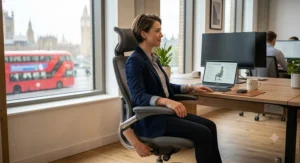
First, set the seat height so your feet sit flat on the floor with your knees at roughly a 90-degree angle; too high and you’ll be reaching down with your toes, too low and your hips end up below your knees, tilting the pelvis backward. Next, adjust the lumbar support so it sits in the curve of your lower back, not against your mid-spine — most people set this too high initially. Then dial in the seat depth, if your chair allows it, leaving a two-to-three finger gap between the seat edge and the back of your knees. Set your armrests so your shoulders stay relaxed and level rather than hunched upward, and finally, adjust recline tension so the chair supports you when you lean back without requiring effort to hold position.
A common mistake in the first 30 days is over-tightening the lumbar support because it feels “supportive” when you first sit down — in reality, a lumbar pad set too firm can create its own pressure point after a few hours. Give any new setting at least two full working days before deciding it’s wrong, since your back needs time to adjust to genuinely correct support after months or years of compensating for a poor chair. This lines up with NHS trust guidance on seating and posture, which stresses sitting well back in the chair so the spine and pelvis stay properly supported, rather than perching on the front edge — a perfect chair used the wrong way will still leave you straining.
Real-World Buyer Scenarios: Which Chair Actually Suits You?
Specs only tell half the story, so here are three realistic profiles matched to the chairs above, with the reasoning behind each match.
If you’re a university student working from a shared house bedroom, budget is tight and you’ll likely move house within a year or two — the SONGMICS OBN53BKUK makes sense here because it delivers genuine adjustable lumbar support without a four-figure commitment you might not be able to take with you.
If you’re a hybrid office worker managing mild-to-moderate lower back ache after long screen sessions, sitting roughly six hours a day between home and office, the SIHOO M57 or Boulies EP200 both offer serious adjustability at a price that doesn’t require signing off with finance. Choose the EP200 if your home office runs warm; choose the M57 if precise lumbar height adjustment matters more to you than raw breathability.
If you’re managing diagnosed sciatica or chronic lower back pain and sitting eight-plus hours daily for work that isn’t going anywhere, the investment case for the FlexiSpot C7 or Steelcase Leap becomes considerably stronger. Spread across three or four years of daily use, the cost-per-day of a premium chair often works out lower than people expect, and the reduction in discomfort has knock-on value for concentration and productivity that’s harder to put a number on but easy to feel.
Office Chair for Lower Back Pain vs Standard Desk Chairs: What Actually Changes
The phrase “office chair for lower back pain” gets thrown around a lot, but the meaningful difference from a standard desk chair comes down to three specific engineering choices, not marketing language.
First, adjustable lumbar support that moves independently of the backrest angle, so you can position it precisely rather than accepting wherever the chair’s designer assumed your spine curve would be. Second, a seat pan with either a waterfall front edge or adjustable depth, both of which reduce pressure behind the knees that can otherwise restrict circulation and indirectly worsen lower back discomfort through altered posture. Third, recline tension that’s actually adjustable to your bodyweight, rather than a single fixed spring that’s either too stiff for a smaller person or too loose for a larger one. A standard desk chair usually nails one of these three at most; a genuine ergonomic office chair for back pain aims to get all three right simultaneously.
Ergonomic Chair for Sciatica: What Actually Helps
Sciatica deserves its own section here because it isn’t simply “worse back pain” — according to the NHS, it’s nerve pain caused by irritation or compression of the sciatic nerve, often linked to a slipped disc, and it typically radiates from the lower back through the buttock and down the leg rather than staying localised.
For chair selection, this matters because pressure directly under the sitting bones and thighs can aggravate sciatic symptoms in a way that general lumbar support alone doesn’t fully address. Look specifically for a seat with a waterfall edge or pressure-relieving foam, like the FlexiSpot C7‘s sacrum-focused lumbar design, rather than judging a chair purely on how firm or soft the backrest feels. Reviewers managing sciatic-type pain consistently report that seat depth adjustment matters as much as lumbar support, since sitting too far forward or back on the seat pan changes how weight distributes across the thighs and pelvis. The NHS also notes that prolonged sitting or lying down isn’t inherently harmful for sciatica and that gentle movement generally helps recovery, so pairing any chair with regular short breaks matters more than chasing a single “perfect” model.
It’s worth saying plainly: no chair treats sciatica, and persistent or worsening symptoms deserve a conversation with a GP or physiotherapist rather than a shopping decision alone.
✨ Ready to Find Your Match?
🔍 Compare current pricing on any of the seven chairs above and see which one fits your budget and your back. A few minutes browsing now could mean a lot fewer aching afternoons later.
Common Mistakes When Buying a Chair for a Bad Back Office Setup
The single most common mistake is buying based on how a chair feels after thirty seconds in a showroom or from photos online, rather than considering how it performs after three hours of real work — a heavily padded seat that feels plush initially can create pressure points that only become obvious later in the day. A close second is ignoring seat depth entirely; even a chair with excellent lumbar support will fail someone with shorter or longer thighs than average if the seat pan can’t be adjusted to match.
Another frequent error is assuming a higher price automatically means better back support specifically, when in fact price often buys durability, warranty length, and material quality more than it buys targeted lumbar precision — the FlexiSpot C7‘s sciatic-focused lumbar design outperforming pricier general-purpose chairs on that one specific criterion is a good example. Finally, many buyers skip reading the weight capacity and seat width specifications, which matters considerably for comfort and support regardless of body size — a chair that’s structurally rated correctly but simply too narrow or shallow for your frame won’t deliver proper lumbar contact no matter how good the adjustment mechanism is on paper.
Physiotherapist-Recommended Seating: What the Experts Actually Say
It’s worth separating physiotherapist-recommended seating principles from specific product endorsements, because reputable UK physiotherapy bodies generally avoid naming individual commercial products, focusing instead on posture principles that any genuinely ergonomic chair should support.
The Chartered Society of Physiotherapy, linked earlier in this guide, emphasises that the spine is a strong, stable structure that responds well to appropriate movement and support, rather than needing to be held perfectly rigid — which is a useful corrective against the idea that you need to sit bolt upright all day to protect your back. Their guidance also stresses that most back pain resolves within six to eight weeks with appropriate self-management, and that a supportive chair is one part of a broader picture that includes regular movement breaks, general activity levels, and avoiding prolonged static positions of any kind, good or bad. This echoes the NHS trust seating advice cited above: sitting well back in the chair so your lower back and pelvis are properly supported, rather than perching on the front edge, is consistently flagged as more important than any single premium feature.
Translating that into a buying principle: prioritise a chair that makes correct, supported posture easy to maintain without constant conscious effort, since the evidence consistently points to consistency of support mattering more than any one standout ergonomic gimmick.
Long-Term Cost & Maintenance
It’s tempting to compare chairs purely on sticker price, but the total cost of ownership tells a more useful story. A £150 budget chair replaced every eighteen months to two years, which is a realistic lifespan for gas lifts and lumbar mechanisms under heavy daily use at that price point, works out to a comparable or even higher annual cost than a £700 chair backed by a genuine multi-year commercial warranty and built to survive a decade of daily sitting.
Maintenance itself is fairly light across the board: check and tighten caster and armrest fixings every few months, keep the gas lift mechanism free of dust, and wipe mesh backs down periodically to prevent grime building into the weave. Chairs like the Steelcase Leap and Steelcase Series 2 carry substantially longer warranty periods than budget alternatives, which is worth factoring into any like-for-like price comparison rather than looking at the upfront figure alone. If a mechanism does fail on a budget chair, replacement parts such as casters or gas lifts are usually cheap and widely available, which somewhat offsets the shorter expected lifespan for buyers on tighter budgets.
Safety, Regulations & Workplace Compliance
If you’re setting up seating for a home office as part of employed work, it’s worth knowing that UK employers have specific legal duties here. Under the Health and Safety (Display Screen Equipment) Regulations 1992, as amended in 2002, employers must assess workstations used by habitual screen users and ensure they meet minimum ergonomic requirements set out in the regulations’ schedule — and this applies to home-based and hybrid workers, not just those in a traditional office.
The free HSE workstation checklist, linked earlier in this guide, is a genuinely useful self-assessment tool even if you’re self-employed or your employer hasn’t formally assessed your setup, covering chair adjustability, screen height, and desk layout in one document. Practically speaking, a chair failing to offer height adjustment fails the baseline legal standard outright, which rules out a surprising number of budget dining-style chairs sometimes used as makeshift desk seating. None of the seven chairs in this guide would fail that basic test, though the extent to which they exceed it varies considerably, as the comparison tables above make clear.
Chronic Back Pain: Features That Actually Matter (and Those That Don’t)
With chronic back pain specifically, certain chair features earn their keep and others are largely marketing noise. Height-adjustable lumbar support genuinely matters, because torso length varies enough between individuals that a fixed lumbar position will suit some buyers and actively work against others. Seat depth adjustment matters for the same reason applied to leg length. Recline tension calibrated to bodyweight matters because it determines whether the chair actually supports you when you lean back or simply lets you fall backward unsupported.
What matters considerably less, despite heavy marketing emphasis, includes multi-coloured stitching, gaming-chair-style bolstered side wings (which can actively restrict natural micro-movements that help circulation), and headrests with excessive articulation, since most desk workers barely use the headrest during focused screen work anyway. Based on the spec comparison across all seven chairs in this guide, the products that performed best for genuine back pain relief were consistently the ones prioritising lumbar and seat-depth adjustment over cosmetic extras — a pattern worth remembering next time a chair’s marketing leads with its RGB lighting rather than its lumbar mechanism.
Frequently Asked Questions
❓ What is the best ergonomic office chair for back pain on a tight budget?
❓ Can an ergonomic chair for sciatica actually help nerve pain?
❓ How much should I spend on a chair for a bad back office setup?
❓ Is mesh or foam better for an office chair for lower back pain?
❓ How long does an ergonomic office chair typically last?
Conclusion
There’s no single “best” ergonomic office chair for back pain, only the best chair for your specific budget, body, and the specific way your back reacts to sitting. If you’re easing in on a tight budget, the SONGMICS OBN53BKUK and SIHOO M57 both punch well above their price. If sciatica or radiating leg pain is your specific issue, the FlexiSpot C7‘s sacral-focused lumbar design deserves particular attention. And if chronic back pain has been part of your daily reality for years and you’re at your desk eight-plus hours a day, the Steelcase Leap remains the most consistently recommended premium pick for good reason — precise, dial-adjustable support that actually tracks how your spine moves.
Whichever chair you land on, remember it’s one piece of a bigger picture: regular movement breaks, a correctly positioned screen, and — if pain persists or worsens — a conversation with a GP or physiotherapist rather than relying on furniture alone to solve it.
Recommended for You
- Ergonomic Office Chair For Long Hours: 7 Best Picks (2026)
- Ergonomic Office Chair With Lumbar Support: 7 Best Picks (2026)
- Best Mesh Ergonomic Office Chair UK 2026: 7 Top Picks Tested
Disclaimer: This article contains affiliate links. As an Amazon Associate, I earn from qualifying purchases. If you purchase products through these links, we may earn a small commission at no additional cost to you. Prices shown are approximate ranges and may vary — please check current pricing before purchase. This article is for general informational purposes only and is not a substitute for professional medical advice; if you’re experiencing persistent or worsening back pain or sciatica, please consult a GP or physiotherapist.
✨ Found this helpful? Share it with your friends! 💬🤗
