In This Article
Your back knows the truth before your brain admits it. Around hour five of a desk job, your shoulders creep towards your ears, your lower spine flattens like a deflated tyre, and that “quick five minutes” of slouching becomes your default posture for the rest of the afternoon. If you’re hunting for an ergonomic office chair for long hours, you’ve probably already tried the cheap fixes — a cushion here, a lumbar roll there — and found they only paper over a structural problem.
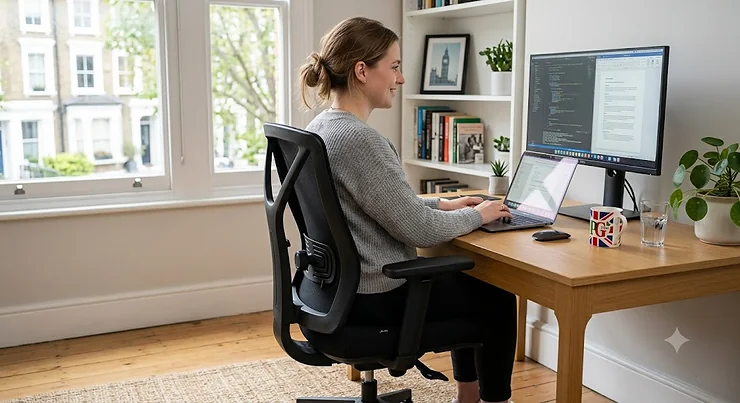
An ergonomic office chair for long hours isn’t a luxury item; it’s closer to a piece of safety equipment for anyone who spends 6-8+ hours a day at a screen. The right seat redistributes pressure, supports the natural S-curve of your spine, and moves with you rather than against you. The wrong one quietly chips away at your comfort, your focus, and eventually your musculoskeletal health.
This guide is built from real product research rather than guesswork: genuine specifications, aggregated review sentiment pulled from independent testers, and honest comparative analysis across budget, mid-range, and premium options. We’ve covered seven real chairs currently available in the UK, broken down what actually matters (seat cushioning density, adjustability, lumbar mechanisms) versus what’s just marketing noise, and built in practical guidance you won’t find on a standard Amazon listing — setup tips, real-world buyer scenarios, and a look at the regulations that shape how UK employers are meant to think about desk-based seating. Whether you’re kitting out a home office or replacing a chair that’s been quietly wrecking your back for years, there’s a pick here that fits your budget and your body.
Quick Comparison Table
If you’re short on time, here’s the fast version. Every chair below has been selected for genuine long-hours performance rather than short-session comfort — the kind of seat that still feels supportive at 4pm, not just at 9am.
| Chair | Price Range | Best For | Standout Feature |
|---|---|---|---|
| ProtoArc EC100 | Under £200 | Tightest budget | High-density cushioned seat |
| Boulies EP200 | £200-£280 range | Work & play crossover | Breathable mesh, gaming-adjacent build |
| Sihoo Doro C300 | £260-£350 range | Long hours on a mid-range budget | Self-adaptive weight-sensing lumbar |
| FlexiSpot C7 | £260-£380 range | Maximum adjustability | 4D headrest, adjustable seat depth |
| Boulies Fit Series Pro | £480-£620 range | Tall-back support with headrest | Full-height spine coverage |
| Steelcase Leap V2 | £1,000-£1,300 range | 8-hour desk job, back pain | LiveBack dynamic spine tracking |
| Herman Miller Aeron | £1,300-£1,700+ range | Big & tall, ultimate longevity | 8Z Pellicle mesh, 3 sizes |
Looking at this spread, the pattern is clear: price generally buys you more independent adjustment points and better long-term durability, not necessarily more comfort in the first ten minutes. The Sihoo Doro C300 and FlexiSpot C7 occupy the sweet spot most home workers actually need, while the Steelcase Leap V2 and Herman Miller Aeron are for people treating their chair as a multi-year investment against genuine back pain. Budget buyers shouldn’t assume the ProtoArc EC100 is a compromise chair — its fixed lumbar flex and thick cushion outperform plenty of mid-range seats on raw sitting comfort, just with fewer ways to fine-tune the fit.
💬 Found the chair that’s calling your name already? Scroll down to the full breakdown below — or jump straight to today’s price on Amazon UK.🤗
Top 7 Ergonomic Office Chairs for Long Hours: Expert Analysis
Before diving in, a quick snapshot of the core specs side by side:
| Chair | Weight Capacity | Lumbar Type | Recline | Warranty |
|---|---|---|---|---|
| ProtoArc EC100 | ~127kg (280lb) | Fixed-flex, non-adjustable | Up to 130° | 2 years |
| Boulies EP200 | Sturdy standard build | Adjustable, horizontal only | Standard tilt | 2 years |
| Sihoo Doro C300 | ~136kg (300lb) | Self-adaptive, weight-sensing | Up to 20° tilt | 3 years |
| FlexiSpot C7 | ~136kg (300lb) | Self-adaptive, dynamic | 90°-130° | Up to 10 years |
| Boulies Fit Series Pro | Reinforced frame | Adjustable, tall coverage | Standard tilt | 2-3 years |
| Steelcase Leap V2 | Up to ~181kg (400lb) | LiveBack, height-adjustable | 5-position tilt limiter | 12 years |
| Herman Miller Aeron | Up to ~159kg (350lb) | PostureFit SL, adjustable | Multi-position tilt | 12 years |
The warranty column alone tells a story worth reading twice: Steelcase Leap V2 and Herman Miller Aeron both carry 12-year cover, which is Steelcase and Herman Miller effectively betting their own money that the frame and mechanism will outlast a decade of daily 8-hour use. Weight capacity also scales predictably with price, which matters less for comfort and more for structural peace of mind if you’re a larger sitter. Now, the full breakdown.
1. ProtoArc EC100 — best budget pick for lumbar cushioning
The EC100’s headline trick is a seat built on 20 independent support springs beneath high-resilience foam, which is a genuinely unusual feature to find under £200. In practice, that spring layer means the cushion compresses evenly under your sit bones instead of bottoming out into a hard base after a few months, which is exactly where cheaper foam-only seats tend to fail. The backrest is breathable air-mesh over a nine-layer curved seat board, and the frame is rated to roughly 127kg. Based on the spec sheet, this is a chair built by people who understand that seat cushioning density matters more than flashy adjustability at the entry-level price point — and that’s borne out in independent testing, which repeatedly singles out the seat cushion as the standout element. Who should care: anyone furnishing a first home office, students working long hours on a tight budget, or anyone testing whether they even like sitting upright at a desk before committing serious money. Reviewers consistently report the lumbar support is comfortable but fixed in place rather than adjustable, and several note the recline mechanism lacks a mid-point lock, so you’re either upright or fully reclined with limited stops in between. What most buyers overlook about this model is that its 7-position armrests actually out-adjust several pricier competitors, even though its backrest doesn’t.
Pros:
- ✅ Thick, spring-supported seat cushion rare at this price
- ✅ Breathable mesh back keeps you cool over long sessions
- ✅ Straightforward assembly with included tools
Cons:
- ❌ Lumbar support isn’t height or firmness adjustable
- ❌ Recline has no mid-point lock
Price sits under £200, and for that money the EC100 delivers more genuine ergonomic engineering than its price tag suggests — a strong value pick if your budget rules out anything mid-range.
2. Boulies EP200 — best crossover pick for work and downtime
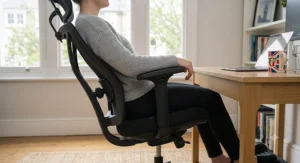
The EP200 borrows its DNA from Boulies’ gaming chair range, which shows up as a breathable synthetic mesh back that flexes noticeably when you lean into it rather than staying rigid. Key specs with real-world meaning: the lumbar support twists in and out via a rear knob, offering horizontal adjustment (how far it presses into your back) but not vertical repositioning, so taller sitters may find the support lands slightly low. The 3D armrests and aluminium base give it a sturdier feel than its price range typically allows. Based on the spec comparison with the ProtoArc EC100, the Boulies EP200 trades some of that model’s seat cushioning depth for a chair that suits people who use the same seat for work during the day and gaming or relaxed browsing in the evening — its recline range and mesh flex are more built for lounging back than either budget or premium task chairs. Reviewers consistently note the mesh back’s breathability as a genuine standout, especially for anyone who runs warm during long sitting sessions, though the bulky armrests draw repeated criticism for feeling clunky underfoot when tucking the chair beneath a desk. The spec sheet won’t tell you this, but user reports suggest the upholstery on the seat pan can show wear faster than the mesh backrest does.
Pros:
- ✅ Genuinely breathable mesh back for warm rooms
- ✅ Aluminium base feels sturdier than the price suggests
- ✅ Comfortable for mixed work and gaming use
Cons:
- ❌ Lumbar support isn’t height-adjustable
- ❌ Armrests are bulky and don’t tuck neatly under desks
At around £200-£280, the EP200 is best for buyers who want one chair to cover both a working day and evening downtime, not dedicated all-day desk workers chasing maximum lumbar precision.
3. Sihoo Doro C300 — best mid-range pick for long hours specifically
This is arguably the chair built most directly around the phrase “ergonomic chair for all day sitting.” Its standout feature is a self-adaptive, weight-sensing lumbar mechanism that automatically adjusts pressure based on your body weight and movement, rather than requiring you to dial in a static setting once and forget it. The backrest is fully breathable mesh on a flexible triangular frame that follows your upper body as you shift side to side, with a four-position height adjustment giving roughly 6cm of vertical travel to fit different torso lengths. On paper this means the C300 is actively responding to how you sit rather than locking you into one posture — a meaningful upgrade over the fixed lumbar of the budget picks above. Independent reviewers have repeatedly named it a genuine “best for long hours” pick, praising the combination of lumbar quality and all-mesh cooling. Reviewers consistently report the 3D armrests as the chair’s weak point, describing them as too mobile and prone to shifting out of position during regular use — a criticism that recurs across nearly every independent test of this model, so it’s worth treating as a known trade-off rather than a fluke. Aggregated sentiment otherwise skews strongly positive on comfort and lumbar support, with the caveat that the price sits slightly above some rivals offering similar spec sheets.
Pros:
- ✅ Self-adaptive lumbar support responds to movement automatically
- ✅ Full mesh design stays cool during 8-hour sessions
- ✅ Backer height adjustment fits a wide range of torso lengths
Cons:
- ❌ Armrests shift too easily and lack a firm lock
- ❌ Priced above some rivals with comparable spec sheets
Expect to pay in the £260-£350 range depending on retailer and colourway; for anyone specifically prioritising long-hours comfort over gaming crossover appeal, this is the strongest mid-range value case on this list.
4. FlexiSpot C7 — best pick for maximum adjustability
The FlexiSpot C7’s standout is sheer adjustment range: self-adaptive dynamic lumbar support, an adjustable seat depth slider, 3D armrests that rotate 360 degrees, and a 4D headrest that moves both vertically and angularly. Key specs with real-world meaning: the 90-to-130-degree recline range is wider than most task chairs in this price bracket, letting you shift from upright focus mode into a genuine break-time lean without leaving your desk. Based on the spec comparison, the seat depth adjustment is the feature that separates this chair from the Sihoo Doro C300 above — shorter or taller sitters can slide the seat pan forward or back to keep the backs of their knees clear of the seat edge, which matters more for circulation over an 8-hour desk chair session than most buyers realise. Reviewers consistently note the sheer number of adjustment points can feel overwhelming at first, with several independent testers describing the controls as “confusing” during initial setup, though comfort ratings once dialled in are consistently strong. A small lumbar-firmness cover is included for anyone who finds the default support too firm — a thoughtful touch, even if some reviewers find it slightly warm against the back.
Pros:
- ✅ Adjustable seat depth accommodates different leg lengths
- ✅ Wide 90°-130° recline range for work and rest
- ✅ 360-degree rotating 3D armrests
Cons:
- ❌ Adjustment controls take time to learn
- ❌ Pricier than some rivals with similar core specs
Pricing generally falls in the £260-£380 range depending on the exact C7 variant and any current promotions; this is the pick for anyone who wants to fine-tune every dimension of their sitting position rather than accept a one-size-fits-most setup.
5. Boulies Fit Series Pro — best lesser-known pick for full-spine coverage
Most budget-to-mid shoppers overlook Boulies’ Fit Series entirely, which is a shame, because the Pro variant’s standout feature — a taller backrest with an integrated headrest — genuinely fills a gap the other mid-range chairs on this list leave open. Key specs with real-world meaning: the extended back height supports the upper spine and neck in a single continuous line, rather than requiring a separate clip-on headrest accessory, which tends to feel like an afterthought on cheaper chairs. Based on the spec sheet, this design targets people who spend long stretches in a slightly reclined, thinking position — writers, analysts, anyone whose 8-hour desk chair day includes a lot of screen-reading rather than constant typing. What most buyers overlook about this model is that the regular (non-Pro) Fit Series costs meaningfully less but drops the headrest entirely, so the Pro’s price premium buys one specific, tangible feature rather than a general quality bump. Aggregated review sentiment describes the seated experience as “immediately comfortable” with posture-friendly geometry straight out of the box, though the price point puts it well past casual, budget-conscious buyers and squarely into “serious home office investment” territory.
Pros:
- ✅ Full-height backrest with integrated headrest
- ✅ Comfortable straight out of the box
- ✅ Distinctive design not commonly seen at this tier
Cons:
- ❌ Meaningfully pricier than the standard Fit Series
- ❌ Overkill for anyone who doesn’t recline often
Expect a price range of roughly £480-£620 depending on colourway and fabric choice; this is the pick for buyers who specifically want headrest support but aren’t ready to commit to four-figure premium pricing.
6. Steelcase Leap V2 — best for genuine 8-hour desk chair back-pain relief
The Leap V2’s standout feature is LiveBack technology: a backrest that physically flexes and reshapes itself as your spine moves through the day, rather than staying in one fixed curve. Key specs with real-world meaning: this chair offers seven distinct points of adjustability, including height-adjustable lumbar support (not just firmness), a natural glide recline system, and four-way adjustable arms, all rated to support up to roughly 181kg. On paper, that LiveBack mechanism is the real differentiator — independent lab testing has rated the Leap V2 among the highest-scoring office chairs specifically for multi-hour comfort, citing its eight distinct adjustment options as the reason it outperforms static-lumbar competitors over a genuine 8-hour workday. Who should care: anyone who’s tried cheaper ergonomic chairs and still ends the day with lower back pain, since the dynamic lumbar tracking is designed to move with posture changes rather than forcing one “correct” position all day. Reviewers consistently report the seat pad itself is thinner than expected for the price, with some longer-term owners noting it can feel less plush after several years of daily use, even though the frame and mechanism hold up well. The 12-year warranty is a genuine confidence signal from Steelcase, and remanufactured units are widely available through UK office furniture dealers at a meaningful discount versus buying new.
Pros:
- ✅ LiveBack technology actively tracks spinal movement
- ✅ Height-adjustable lumbar support, not just firmness
- ✅ Backed by a 12-year warranty
Cons:
- ❌ Seat padding is thinner than some rivals at this price
- ❌ Significant investment versus mid-range alternatives
New units typically sit in the £1,000-£1,300 range in the UK, with refurbished or remanufactured options available for meaningfully less — a route worth investigating if the new price feels steep.
7. Herman Miller Aeron — best premium pick for big & tall sitters and long-term value
The Aeron’s standout feature has stayed essentially unchanged since its 1994 debut for good reason: 8Z Pellicle suspension mesh that replaces foam entirely, distributing your weight across eight zones of varied tension rather than compressing under it. Key specs with real-world meaning: the chair ships in three distinct sizes (A, B, C) rather than one frame with adjustable padding, so a correctly sized Aeron fits your specific height and weight bracket instead of approximating it — Size B suits roughly 80-90% of adults between 5’5″ and 6’2″, while Size C extends support up to around 159kg for larger sitters. Based on the spec comparison with the Steelcase Leap V2, the Aeron’s PostureFit SL system targets the pelvis and sacrum specifically, gently encouraging a healthier S-curve rather than just cushioning the lower back, and because the mesh never compresses the way foam does, it tends to run noticeably cooler over an 8-hour desk chair day. Independent audits of premium ergonomic chairs have rated the Aeron highly specifically for all-day breathability and its ability to coax the spine into better alignment without requiring constant conscious adjustment. Aggregated customer sentiment is more mixed than you might expect for such an iconic design — average ratings across large review pools sit closer to “good” than “flawless,” with some buyers finding the mesh too firm underneath and others finding the PostureFit dial fiddly to set correctly the first time.
Pros:
- ✅ Breathable Pellicle mesh never compresses or overheats
- ✅ Three sizes mean a genuinely tailored fit
- ✅ 12-year warranty with round-the-clock use coverage
Cons:
- ❌ Some buyers find the mesh too firm for their taste
- ❌ PostureFit SL takes trial and error to dial in
Pricing generally runs from around £1,300 upward depending on size, frame finish, and arm configuration — this is the chair to buy once and keep for a decade-plus, provided you take the sizing guide seriously before ordering.
What Is an Ergonomic Office Chair for Long Hours?
An ergonomic office chair for long hours is a task chair specifically engineered to support the spine, hips, and arms through extended sitting — typically defined as six or more hours daily — using adjustable lumbar support, breathable materials, and multiple points of customisation that adapt to your body rather than forcing your body to adapt to the chair.
Under UK Display Screen Equipment regulations, employers have a legal duty to assess workstations — including seating — for anyone who habitually uses a screen as a significant part of their job. That’s a strong hint about how seriously chair design is treated at a regulatory level: this isn’t just comfort marketing, it’s recognised occupational health territory.
How to Choose an Ergonomic Office Chair for Long Hours
Cutting through the marketing noise, here’s the expert-reasoned checklist that actually predicts whether a chair will still feel good at hour seven:
- Check the lumbar mechanism type. Fixed-flex lumbar (like the ProtoArc EC100) suits average builds; adjustable or self-adaptive lumbar (like the Sihoo Doro C300) suits anyone outside “average” proportions or with existing back sensitivity.
- Prioritise seat cushioning density over softness. A seat that feels plush in the showroom often compresses flat within months — high-density foam or spring-supported cushions (see our seat cushioning density section below) hold their shape far longer.
- Match weight capacity to your actual body weight with headroom. A chair rated right at your weight will feel less supportive and wear out faster than one with 20-30% of spare capacity.
- Test the recline lock, not just the recline range. A wide recline range is meaningless without a mid-point lock — otherwise you’re either bolt upright or fully reclined.
- Consider armrest adjustability for your desk height. 3D or 4D armrests let you drop your shoulders and rest your forearms without hunching, which matters enormously for anyone typing for a full 8 hour workday.
- Weigh the warranty as a durability signal. A 10-12 year warranty (as offered by FlexiSpot C7, Steelcase Leap V2, and Herman Miller Aeron) tells you the manufacturer expects the frame to last that long.
- Factor in mesh versus foam for your climate and body heat. Mesh backs like those on the Sihoo Doro C300 and Herman Miller Aeron run cooler; foam and upholstered seats feel warmer but sometimes plusher initially.
Seat Cushioning Density Explained
Seat cushioning density is the single most under-discussed spec on any Amazon chair listing, and it deserves far more attention than it gets. Density refers to how much foam mass is packed into a given volume — measured in kg/m³ — and it’s a far better predictor of long-term comfort than initial softness. A low-density foam seat feels wonderfully plush the day it arrives, then compresses permanently within three to six months of daily use, leaving you sitting on a thin, hardened shell disguised by a fabric cover. This is precisely why the ProtoArc EC100‘s 20-spring support system stands out despite its budget price: springs resist permanent compression in a way that cheap single-layer foam simply cannot. Higher-density foam, as used across the Sihoo Doro C300 and FlexiSpot C7, strikes a balance between initial comfort and multi-year shape retention, while Herman Miller’s Pellicle mesh sidesteps the density question entirely by removing foam from the equation altogether. What most buyers overlook is that you cannot judge cushioning density from a five-minute showroom sit or a product photo — it only reveals itself after months of real use, which is exactly why aggregated long-term review sentiment matters more than first impressions when comparing seat quality across these seven chairs.
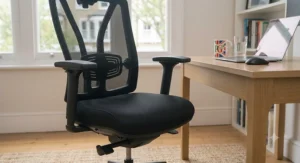
Setting Up Your Chair for All-Day Comfort: A Practical Usage Guide
Buying the right chair is only half the job — a poorly configured premium chair can feel worse than a well-set budget one. Here’s how to get genuine all-day comfort from day one.
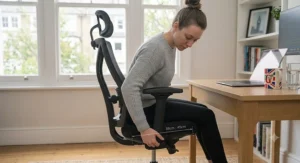
First-use setup (do this before your first full day): Set seat height so your feet sit flat on the floor with knees at roughly a 90-degree angle. Adjust lumbar support so it presses into the curve just above your hip bones, not your mid-back. Bring armrests up until your shoulders relax down and your elbows rest at roughly 90 degrees — most people set these too low initially. Set the seat depth (where available, as on the FlexiSpot C7) so there’s a two-to-three finger gap between the seat edge and the back of your knees.
Maintenance schedule: Wipe mesh backs monthly with a damp cloth to prevent dust build-up in the weave. Check and re-tighten armrest and base bolts every three to six months, since chairs like the Sihoo Doro C300 are prone to armrest looseness developing over time. Inspect the gas lift cylinder annually — a chair that slowly sinks during the day needs a replacement cylinder, a common and inexpensive fix rather than a reason to bin the whole chair.
Common first-30-days mistakes: Setting the chair up once and never revisiting it as your desk setup, monitor height, or keyboard position changes; leaning heavily on one armrest while reaching for a mouse, which twists the spine asymmetrically over time; and ignoring squeaks or clicks in the recline mechanism, which often signal a simple lubrication fix rather than a structural fault.
Real-World Scenarios: Which Chair Suits Your Working Life
Specs only mean something in context. Here’s how three genuinely different working patterns map onto the chairs above.
The hybrid worker on a tight budget, home three days a week: Someone working from a spare bedroom three days a week, on a genuinely limited budget, doesn’t need a 12-year warranty — they need something comfortable enough to survive a long hours desk chair session without wrecking their back before payday. The ProtoArc EC100 or Boulies EP200 cover this scenario well, offering real ergonomic engineering without the four-figure commitment.
The full-time remote employee doing a genuine 8 hour workday, five days a week: This is the profile the Sihoo Doro C300 and FlexiSpot C7 are built for — daily, sustained use where self-adaptive lumbar support and mesh breathability earn their keep every single afternoon. If your employer offers a home-office equipment allowance, this price bracket is the sensible target.
The chronic back-pain sufferer or larger-frame sitter treating the chair as a health investment: Anyone who’s tried multiple cheaper chairs and still ends most days in discomfort should look seriously at the Steelcase Leap V2 or Herman Miller Aeron. The dynamic lumbar tracking and sizing options respectively exist precisely to solve problems that budget and mid-range chairs structurally can’t.
Common Mistakes When Buying an Office Chair for Long Hours
Even well-researched buyers repeat a handful of avoidable errors. First, judging comfort from a brief in-store or showroom sit — genuine ergonomic fit only reveals itself after several hours, which is why aggregated long-term review data matters more than a five-minute test. Second, ignoring your own body dimensions relative to a chair’s sizing — the Herman Miller Aeron‘s three-size system exists precisely because a “universal” chair fit is a myth, and buying the wrong Aeron size is consistently cited as the top reason owners are disappointed. Third, prioritising aesthetics over lumbar mechanism type; a gorgeous chair with fixed, non-adjustable lumbar support will underperform a plainer chair with genuine adjustability for anyone outside average proportions. Fourth, overlooking weight capacity headroom, which affects both comfort and long-term mechanism wear. Fifth, assuming price alone guarantees comfort — independent testing repeatedly shows mid-range chairs like the FlexiSpot C7 outperforming some pricier rivals on specific metrics like seat depth adjustability, so spec-matching your actual needs beats simply spending more.
Ergonomic Chairs vs Standard Office Chairs
The gap between a genuine ergonomic chair and a standard fixed-back office chair is bigger than most buyers assume until they’ve sat in both for a full week.
| Factor | Ergonomic Chair | Standard Office Chair |
|---|---|---|
| Lumbar support | Adjustable or self-adaptive | Fixed or absent |
| Seat depth/height | Multiple adjustment points | Height only, usually |
| Materials | Mesh or high-density foam | Basic foam, often low-density |
| Best For | 6-8+ hours daily desk work | Occasional or short-session use |
| Typical Price Range | £150-£1,700+ | Under £100 |
The core distinction isn’t luxury versus budget — it’s whether the chair adapts to a spine that moves throughout the day versus locking a user into one static shape. A standard office chair can feel perfectly fine for the first hour or two, which is exactly why so many buyers underestimate the difference until cumulative strain sets in around week three or four of daily use. For anyone spending more than roughly four hours a day seated, the adjustability gap in the table above translates directly into fewer aches, less fidgeting, and measurably better sustained focus.
✨ Don’t Miss These Exclusive Deals!
🪑 Take your home office setup to the next level with one of these carefully researched ergonomic chairs. Click through to check current pricing and availability on Amazon UK — genuine all-day comfort might be closer than you think!
Long-Term Cost & Maintenance
Sticker price tells you almost nothing about total cost of ownership. A £180 budget chair that needs replacing every 18 months because the foam collapses and the gas lift fails works out more expensive over a decade than a £900 chair backed by a 10-12 year warranty. Run the maths per year of expected use rather than upfront cost: the ProtoArc EC100 at roughly £180 with a realistic 3-4 year lifespan for daily use works out to roughly £45-£60 per year; the Steelcase Leap V2 at roughly £1,100 across its 12-year warranty period works out closer to £90 per year — a much smaller gap than the headline prices suggest, especially once you factor in that the Leap V2’s mechanism and frame are designed to be serviced rather than replaced. Maintenance costs also differ meaningfully: mesh-backed chairs rarely need reupholstering, while foam-seated budget chairs may need cushion replacement inserts after a few years of heavy daily use. If you’re treating your chair purely as a short-term or occasional-use purchase, the budget end of this list offers genuine value; if you’re a full-time desk worker planning to keep the same seat for the better part of a decade, the maths increasingly favours paying more upfront.
Desk Job Health: Safety, Regulations, and Why Seating Matters
Desk job health isn’t just about comfort — it’s underpinned by real UK regulation. Under the Health and Safety (Display Screen Equipment) Regulations 1992, as amended in 2002, employers are legally required to assess workstations for anyone who habitually uses screen equipment as a significant part of their role, and the HSE’s own workstation checklist explicitly covers furniture — including whether a chair provides adequate back support and height adjustment — as one of six risk-factor categories employers must review. That’s a meaningful signal: seating isn’t treated as a cosmetic choice under UK law, it’s assessed alongside keyboards, screens, and software as a genuine workplace health factor.
The health stakes are real, too. The NHS notes that poor sitting posture doesn’t necessarily cause pain outright, but places sustained strain on already-sensitised muscles and soft tissue, which over months and years can compound into chronic discomfort. None of this means a good chair alone solves desk job health entirely — regular movement breaks, correct monitor height, and general activity levels all matter alongside seating — but a genuinely supportive ergonomic office chair for long hours removes one major variable from an equation that otherwise stacks against anyone doing sedentary work five days a week.
Problem → Solution: Fixing Common Long-Hours Sitting Issues
Problem: Lower back pain by mid-afternoon. Solution: check your lumbar support is contacting the curve just above your hips rather than your mid-back, and consider a self-adaptive lumbar chair like the Sihoo Doro C300 if a fixed-position chair isn’t cutting it.
Problem: Shoulder and neck tension from hunching towards the screen. Solution: raise armrests until your shoulders drop and relax, and check your monitor sits at eye level — a chair with adjustable arms like the FlexiSpot C7 makes this correction far easier than a fixed-arm budget chair.
Problem: Overheating and sweaty back during long sessions. Solution: switch to a full-mesh backrest such as the Boulies EP200 or Herman Miller Aeron, both of which allow far more airflow than upholstered foam seats.
Problem: Sinking or tilting gas lift after a year or two of use. Solution: this is almost always a cylinder wear issue rather than a design flaw, and the NHS’s guidance on posture emphasises that changing position regularly matters as much as the chair itself — pair any chair fix with genuine movement breaks throughout your day.
Problem: Fidgeting and constant repositioning that breaks concentration. Solution: this is frequently a seat depth mismatch — if your chair doesn’t offer seat depth adjustment, check the two-to-three finger knee gap rule above, and consider a chair like the FlexiSpot C7 that lets you correct it directly.
Frequently Asked Questions
❓ What makes an office chair 'ergonomic' rather than just comfortable?
❓ How much should I spend on an ergonomic office chair for long hours?
❓ Is mesh or foam better for a long hours desk chair?
❓ How often should I replace an ergonomic office chair?
❓ Can an ergonomic chair actually fix existing back pain?
Conclusion
There’s no single “best” ergonomic office chair for long hours — there’s only the best one for your body, your budget, and how many hours a day you’re actually sitting. If you’re testing the waters on a tight budget, the ProtoArc EC100 delivers more genuine support than its price suggests. If you’re a full-time remote worker logging a genuine 8 hour workday, the Sihoo Doro C300 and FlexiSpot C7 hit the sweet spot between adjustability and cost. And if you’re treating this purchase as a multi-year investment against real back pain, the Steelcase Leap V2 and Herman Miller Aeron justify their price tags through engineering most budget chairs simply can’t match.
What matters more than any single spec is matching the chair’s lumbar mechanism, seat cushioning density, and adjustability to how you actually sit — because the best chair on paper is worthless if it doesn’t fit the way your particular back and legs are shaped. Take the sizing and adjustment guidance above seriously before you buy, set the chair up properly in your first week, and revisit that setup as your desk and habits evolve.
✨ Ready to Upgrade Your Long Hours at the Desk?
🪑 Your back has put up with enough. Browse today’s prices on any of the seven chairs above and give your workday the support it’s been missing — future-you will thank present-you for every single one of those long hours.
Recommended for You
- Ergonomic Office Chair With Lumbar Support: 7 Best Picks (2026)
- Best Mesh Ergonomic Office Chair UK 2026: 7 Top Picks Tested
- Ergonomic Chair vs Standard Office Chair: 7 Honest Picks
Disclaimer: This article contains affiliate links. As an Amazon Associate, I earn from qualifying purchases. If you purchase products through these links, we may earn a small commission at no additional cost to you.
✨ Found this helpful? Share it with your friends! 💬🤗
